
Trading and swaps
Playdecko helps you swap cards with other collectors. Check whether a swap is fair, find collectors who have the cards you want and want the cards you have, send a trade by post with a fairness bar to guide you, and follow it until the cards are in each other's collections. Children under 13 can record the swaps they make with friends, and their parent sees every one. Trading by post with other members, trade matches and cash in trades are for adults (18 and over).
The Trade page opens with three choices: Swap in person (in the app), Find someone to trade with (trade matches, Open to trade and your spares) and Is this trade fair? (checking a trade, below). Tap ‹ Trade to go back to the choices. Under 18s go straight to checking a trade.
Check a trade
Anyone can use Check a trade (Is this trade fair? on the Trade page), of any age. No money changes hands. Under 18s see We did the swap instead of Record this trade, and their swaps aren't added to a Money page.
- Open Trade from the menu and choose Is this trade fair?
- Under You give, type the name of a card you own and pick it. Cards you have two or more of are listed under Your spares: tap one to add a spare copy. You always keep one of each.
- Under You get, search for the card you would get and pick it. Choose whether it is graded and its condition, so the value matches.
- Playdecko shows a value range for each card, a total for each side, and a verdict: Looks fair when the two sides are within 15% of each other, otherwise how much more one side gives.
- If you made the swap, tap Record this trade. Your collection is updated (the cards you gave are removed and the cards you got are added) and the trade is kept on your Money page, so you can see later whether it went up or down.
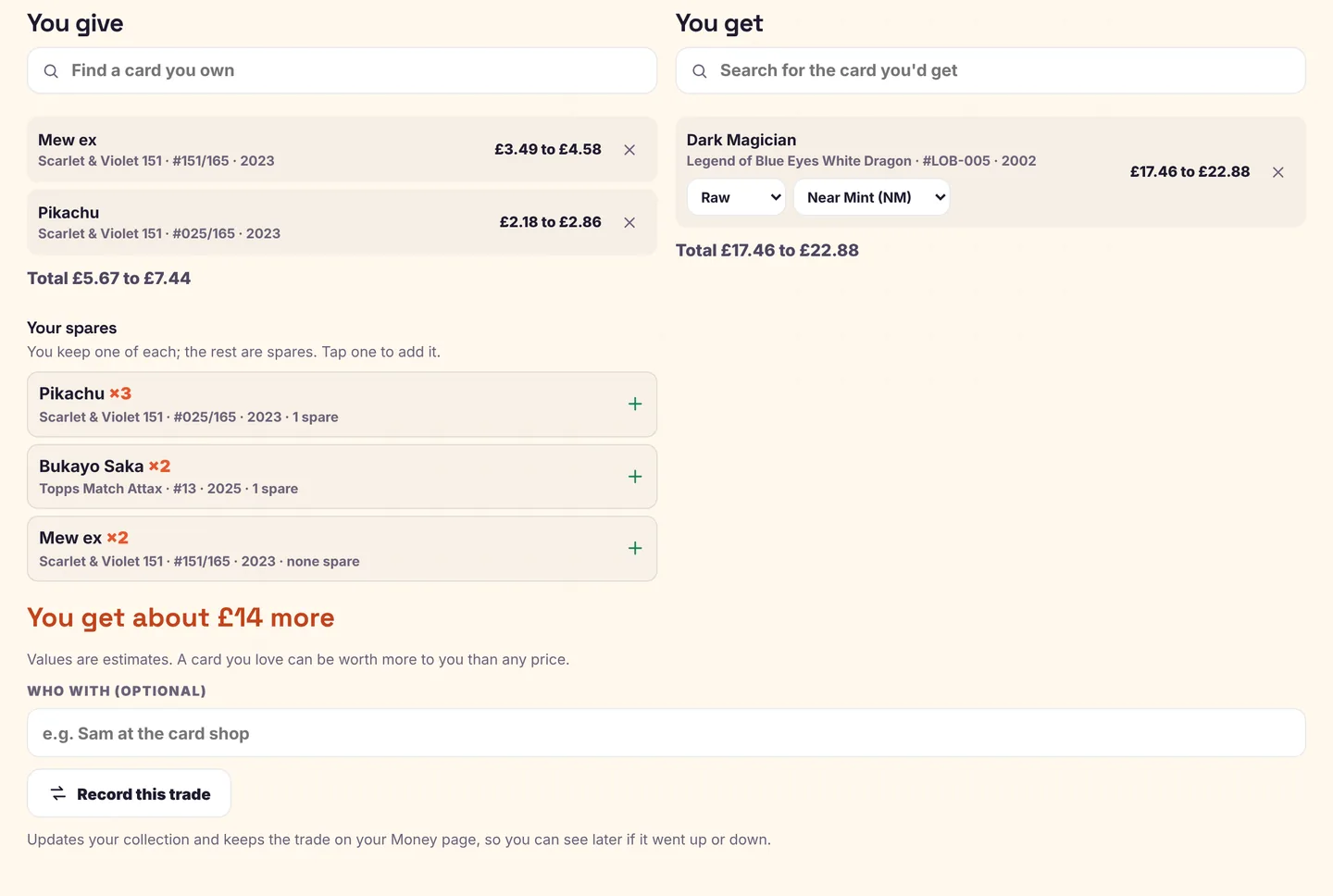
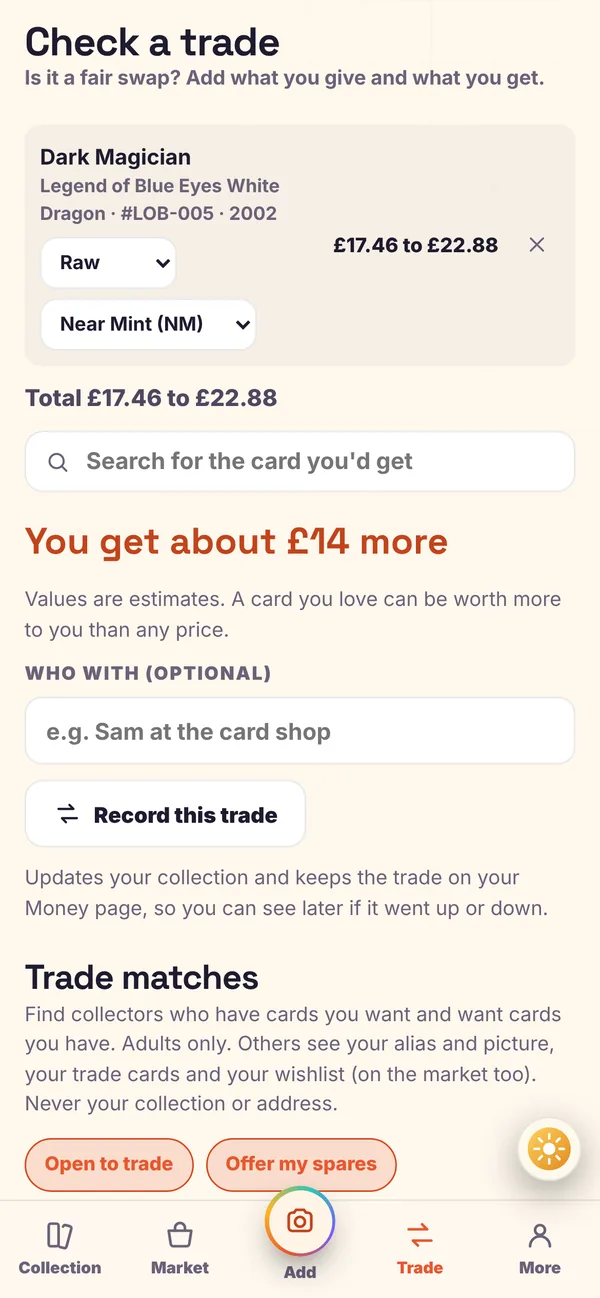
Values are estimates, not a formal valuation. A card you love can be worth more to you than any price.
Spares and cards for trade
You offer two kinds of card for trade:
- Spares: every copy beyond the one you keep, when Offer my spares is on.
- Cards tagged For trade: any card you tag yourself.
A card is only offered if it has your own photo, is not listed for sale or already in a trade, and has not been reported stolen.
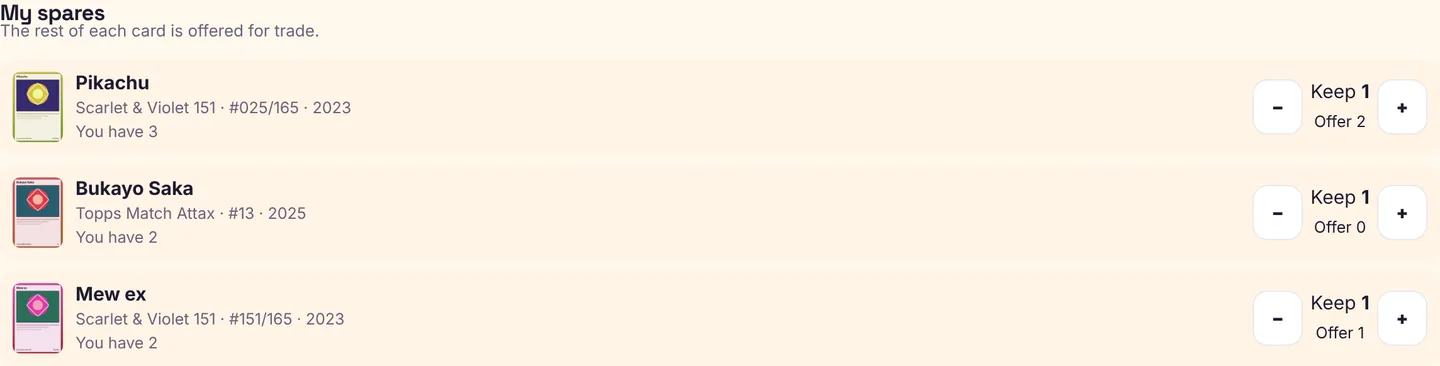
- Open Check a trade and scroll to My spares.
- Use − and + to choose how many of each card to keep. Playdecko offers the rest.
Trade matches
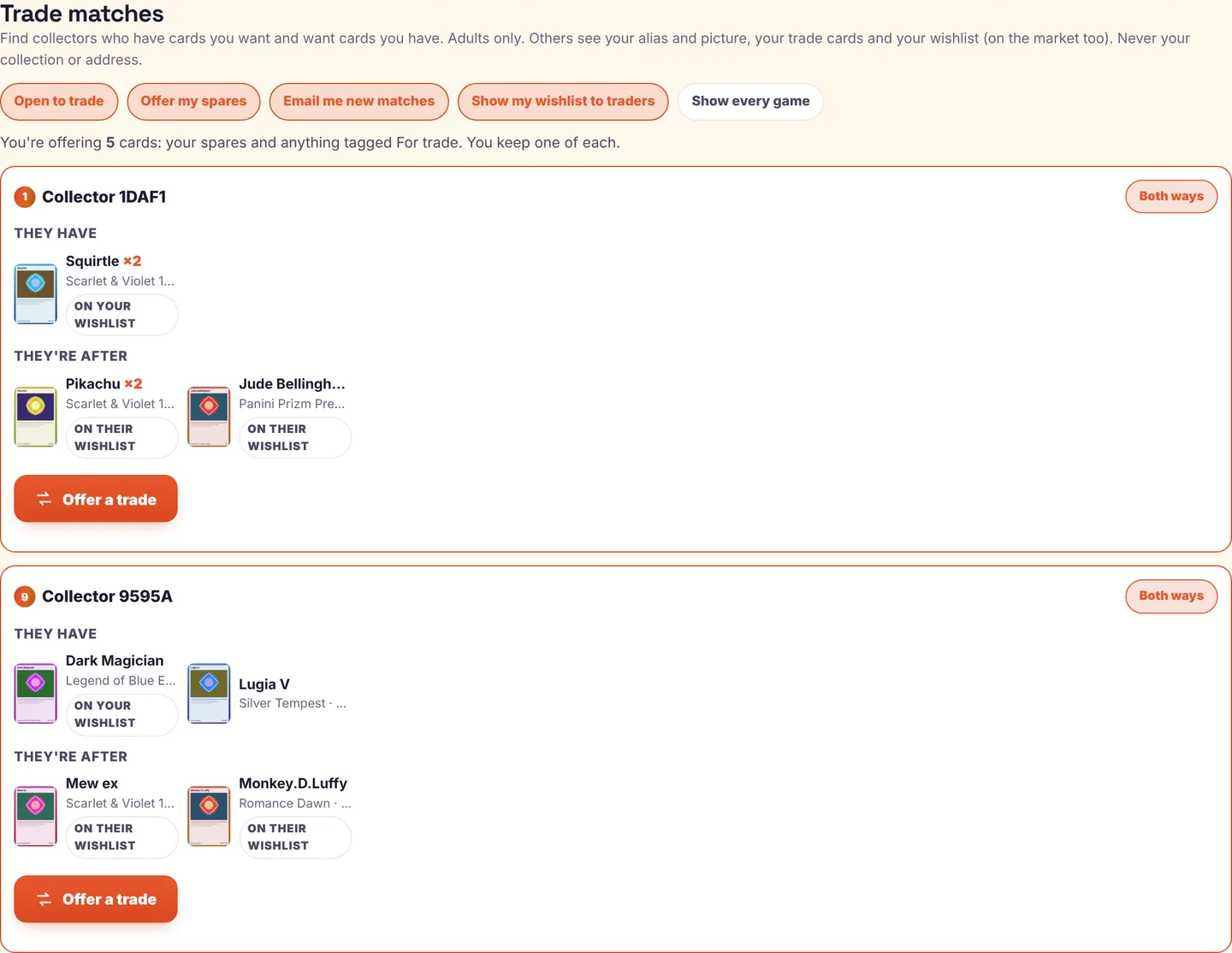
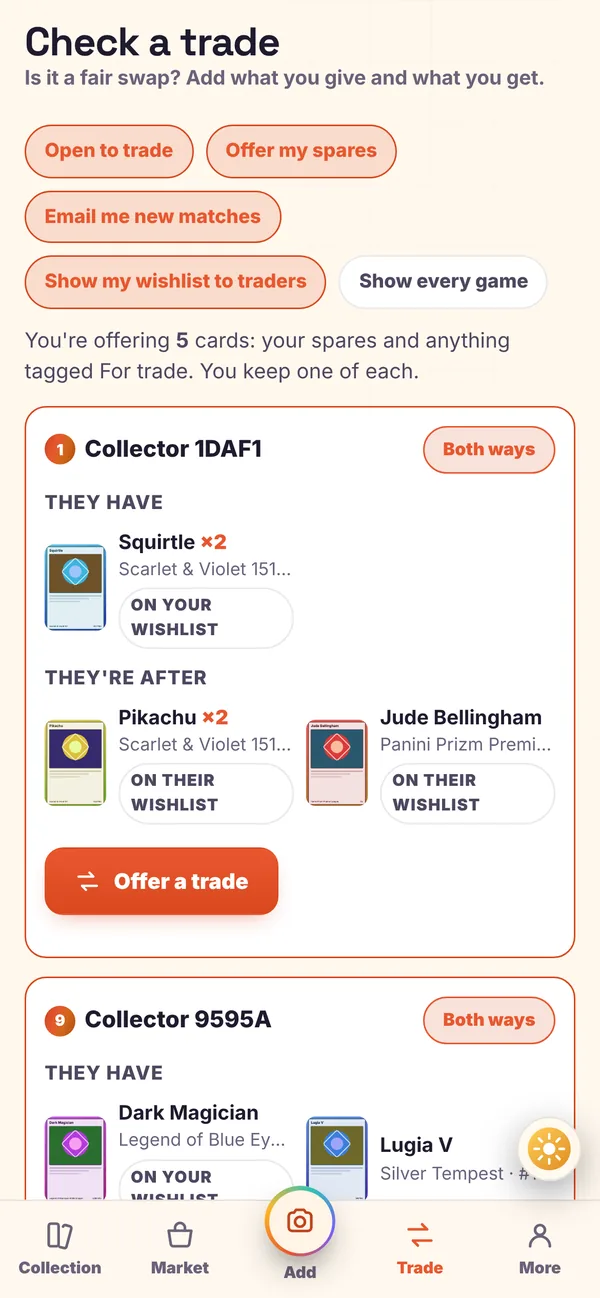
Trade matches finds collectors who have cards you want and want cards you have. It is for adults only, and you opt in. Other collectors see your alias and picture, your trade cards and your wishlist. They never see your collection or your address.
- On Check a trade, scroll to Trade matches and switch on Open to trade.
- Choose your settings: Offer my spares, Email me new matches, Show my wishlist to traders, and Show every game (otherwise you only see the games you collect).
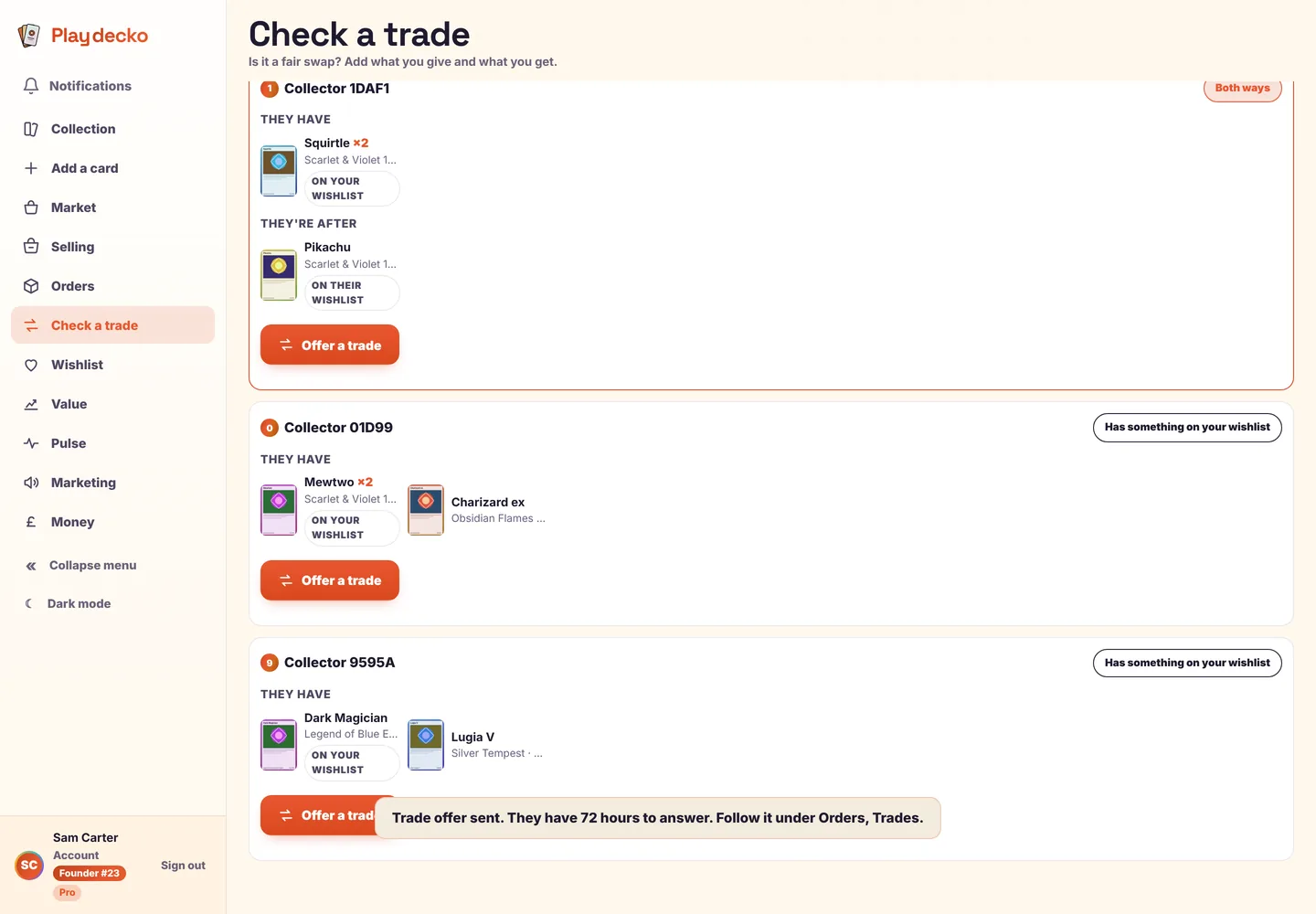
- Each match shows what they have, what they are after, and a label: Both ways (they have something on your wishlist and want something you offer), Has something on your wishlist, Wants something you offer, or Cards you don't have yet.
- Adding cards to your wishlist gives you better matches.
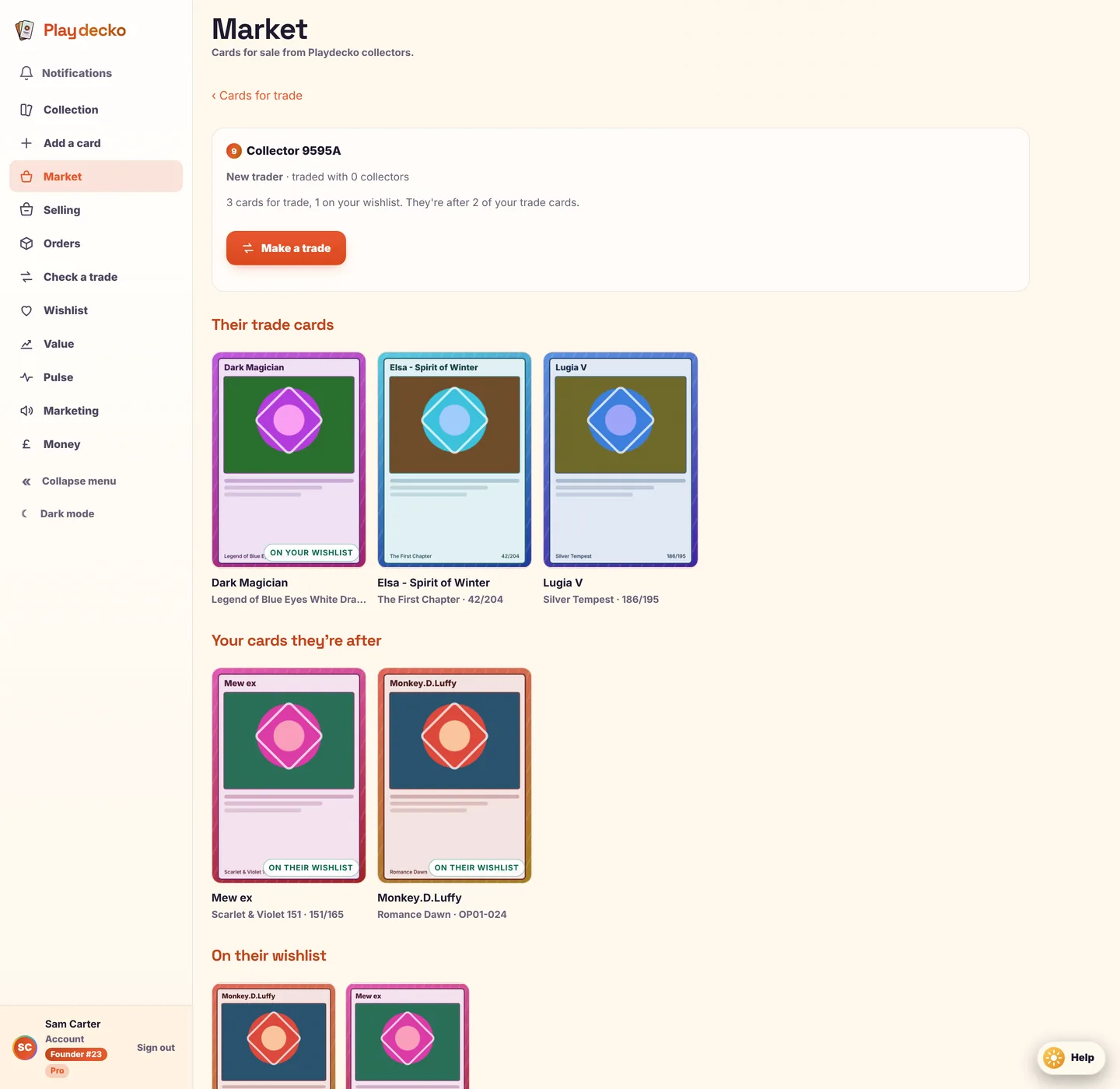
A trader's page
Tap a trader's alias on the market to see their trade level, their trade cards, and which of your cards they are after.
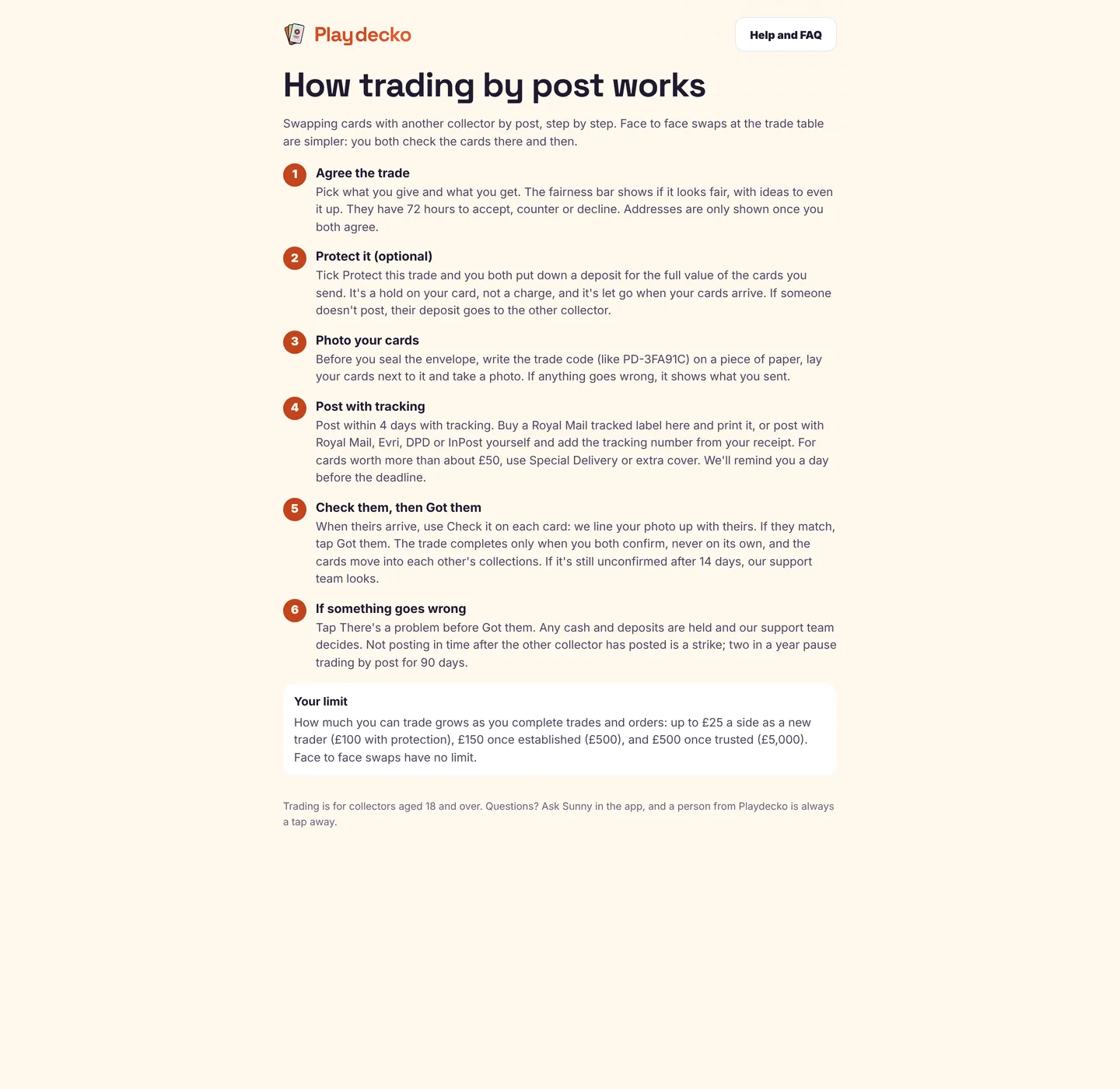
How trading by post works
The first time you open Make a trade, Playdecko shows how trading by post works. You can open it again at any time from the How trading by post works link on a trade, or as a page under Help.
Your trade limit
How much you can trade by post grows as you complete trades and orders.
| Level | Limit a side | With protection |
|---|---|---|
| New trader | £25 | £100 |
| Established trader | £150 | £500 |
| Trusted trader | £500 | £5,000 |
Face to face swaps have no limit.
Make a trade
- On a match, tap Offer a trade (or Make a trade on a trader's page).
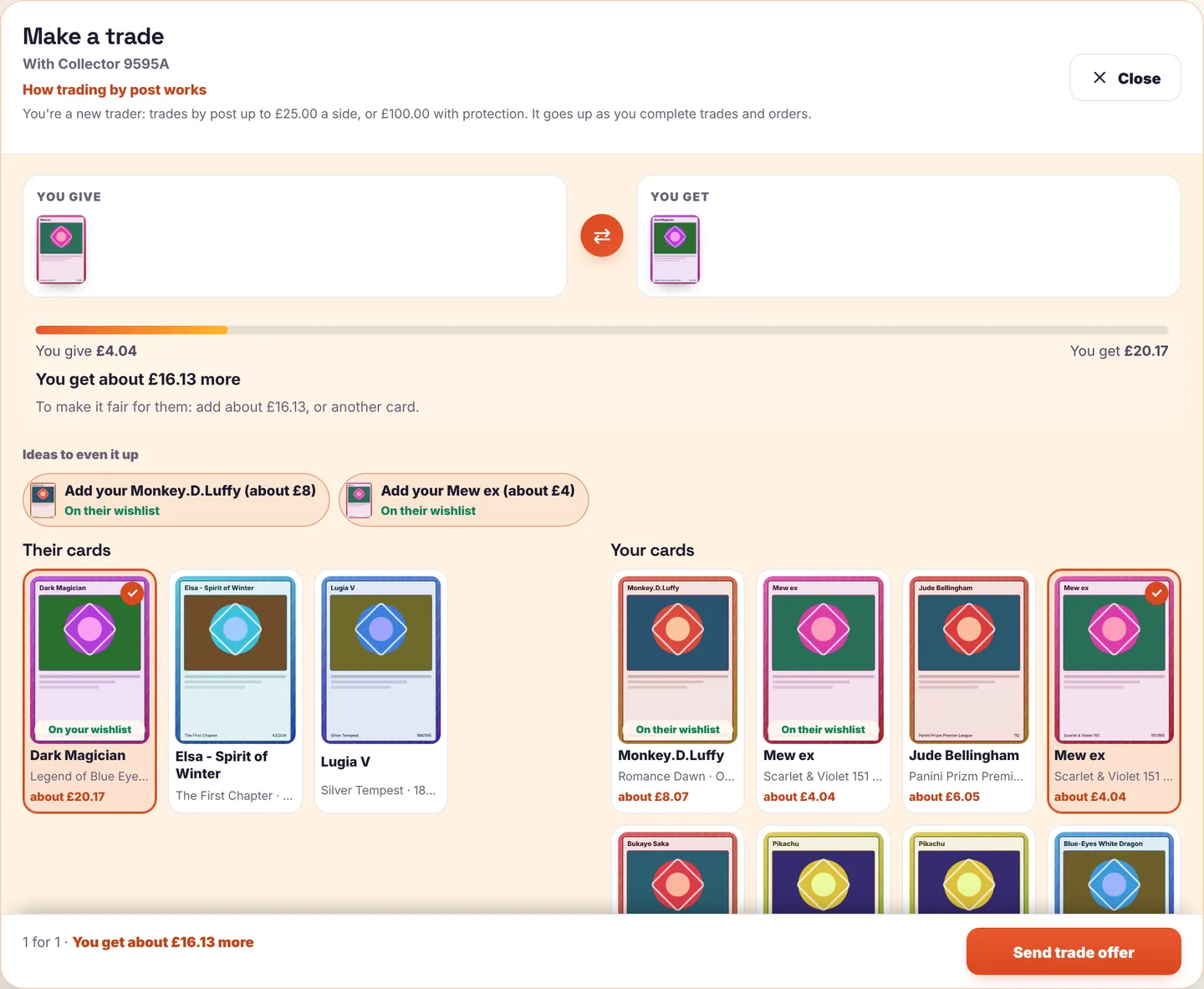
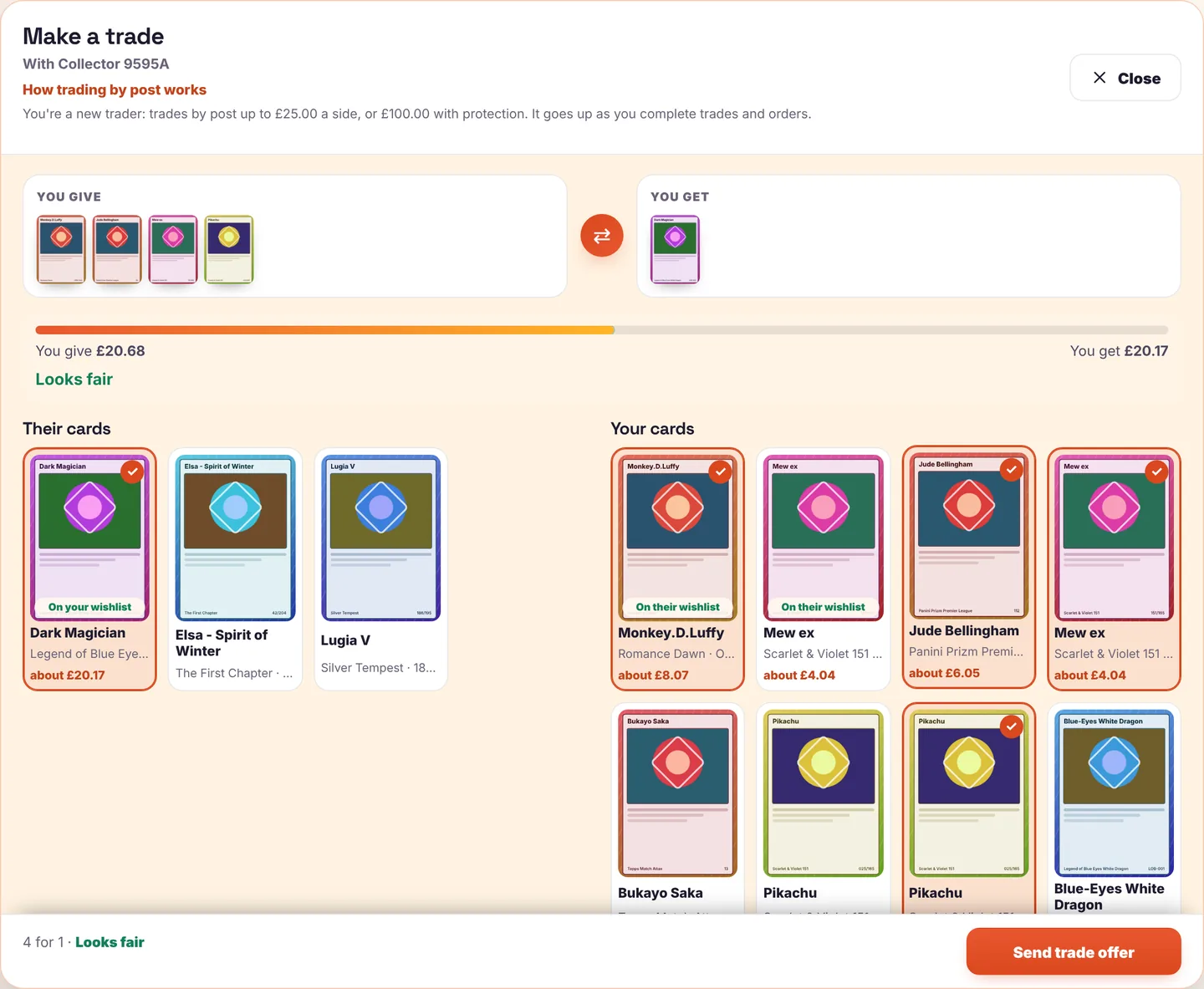
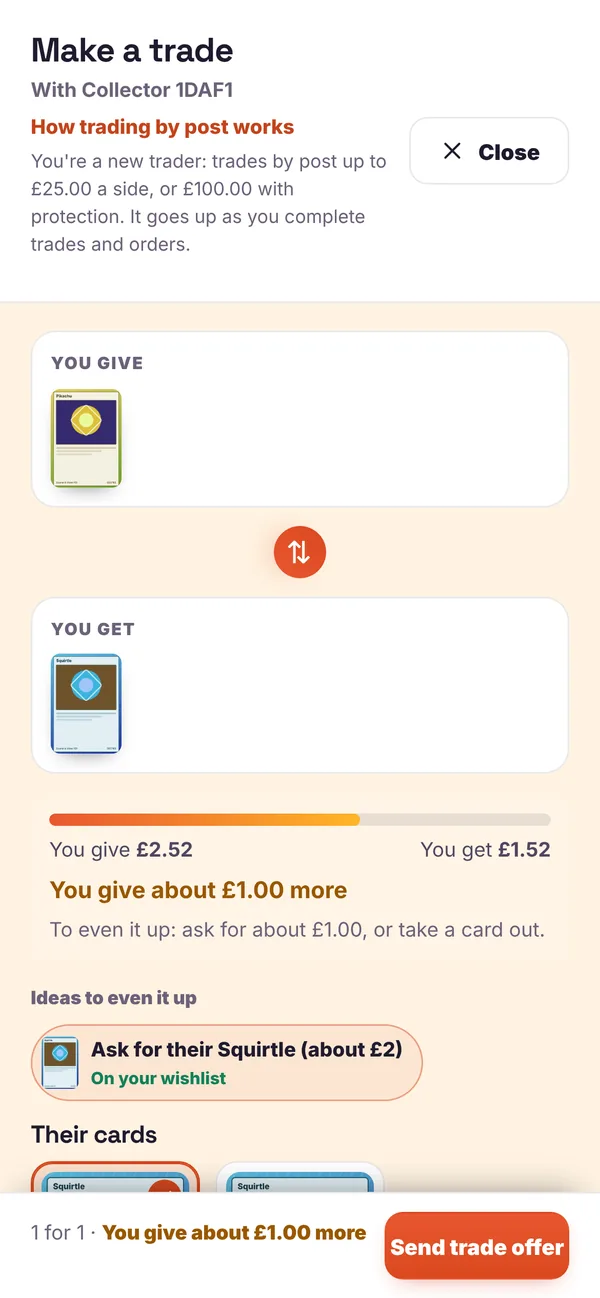
- The top of the screen shows the deal: You give and You get, with your trade level and limit underneath.
- Tap their cards to add them to what you get, and tap your cards to add them to what you give. Cards on a wishlist are labelled.
- Watch the fairness bar. If one side is worth more, Playdecko suggests cards to even it up.
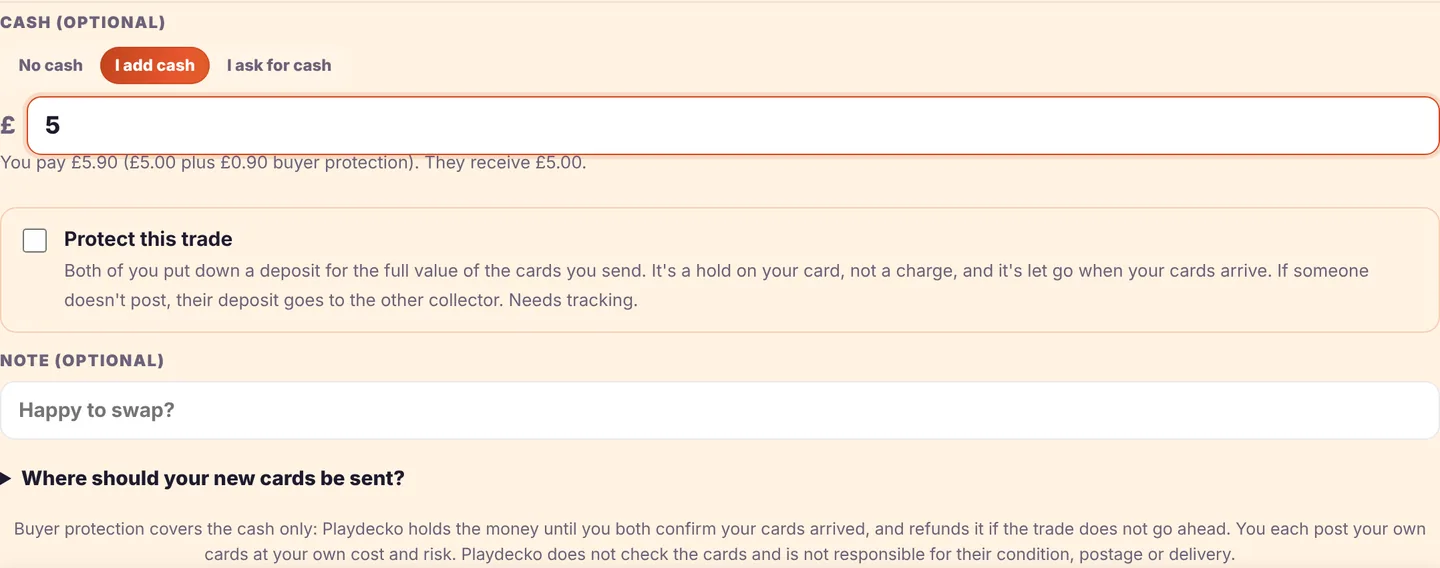
- Cash (optional): choose I add cash or I ask for cash and enter an amount. The smallest amount is £1. Whoever pays the cash also pays buyer protection of 4% plus 70p, and the other collector receives the full amount. To receive cash you first need payouts set up on the Selling page.
- Protect this trade (optional): you both put down a deposit for the full value of the cards you send. It starts as a hold on your card and is let go when your cards arrive. If a trade runs past 6 days, the hold is taken as a payment and refunded once the trade is done. If someone doesn't post, the trade goes to our support team, both deposits stay held, and support decides. A protected trade needs tracking.
- Add a note if you like, and check Where should your new cards be sent? Your address is only shown to them once you both agree.
- Tap Send trade offer. A trade can have up to 20 cards a side.
The cards you give are held for the trade from now on, so they can't be listed or traded elsewhere. The other collector has 72 hours to accept, counter or decline.
When you receive an offer
Trades live under Orders, on the Trades tab.
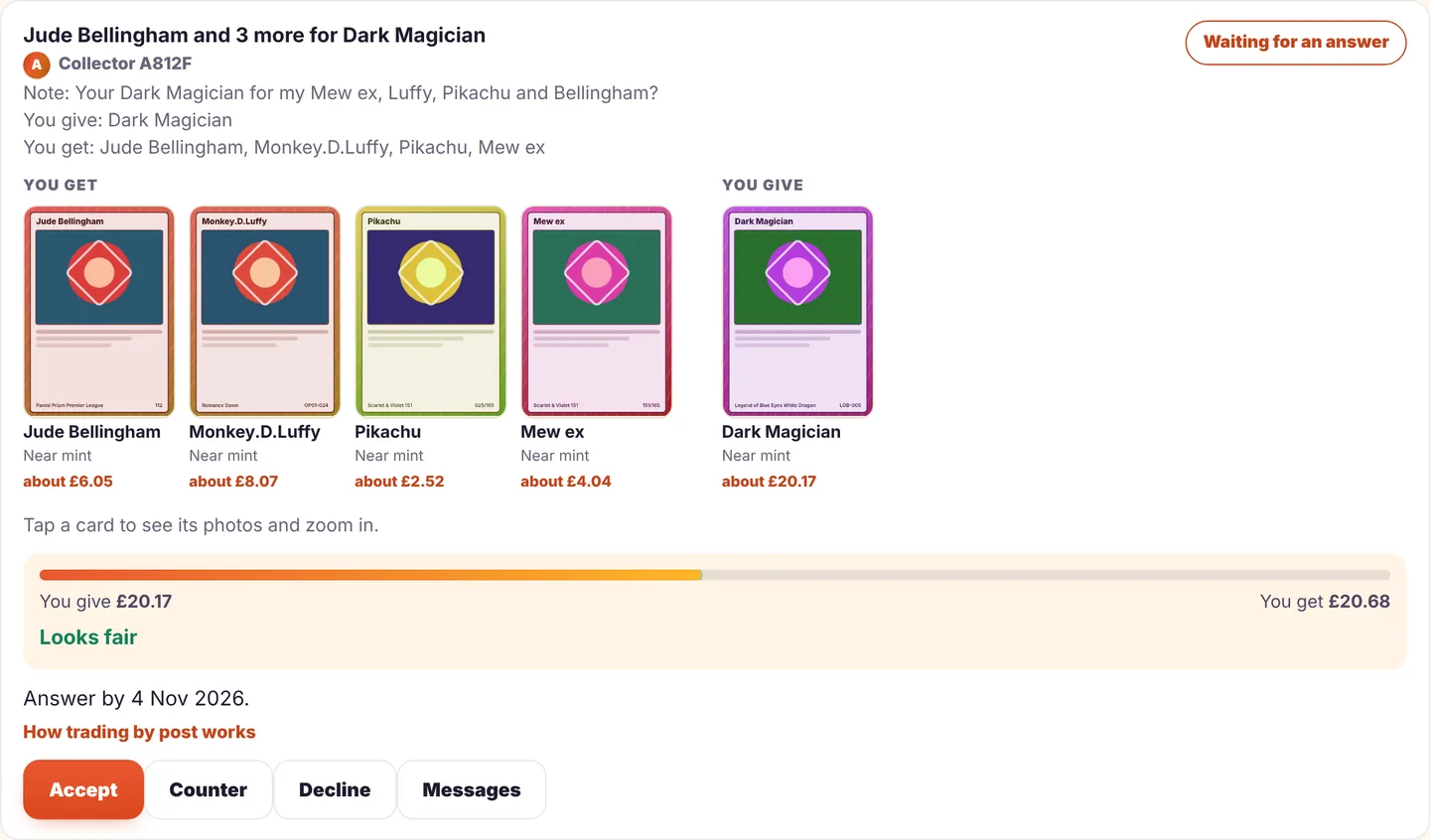
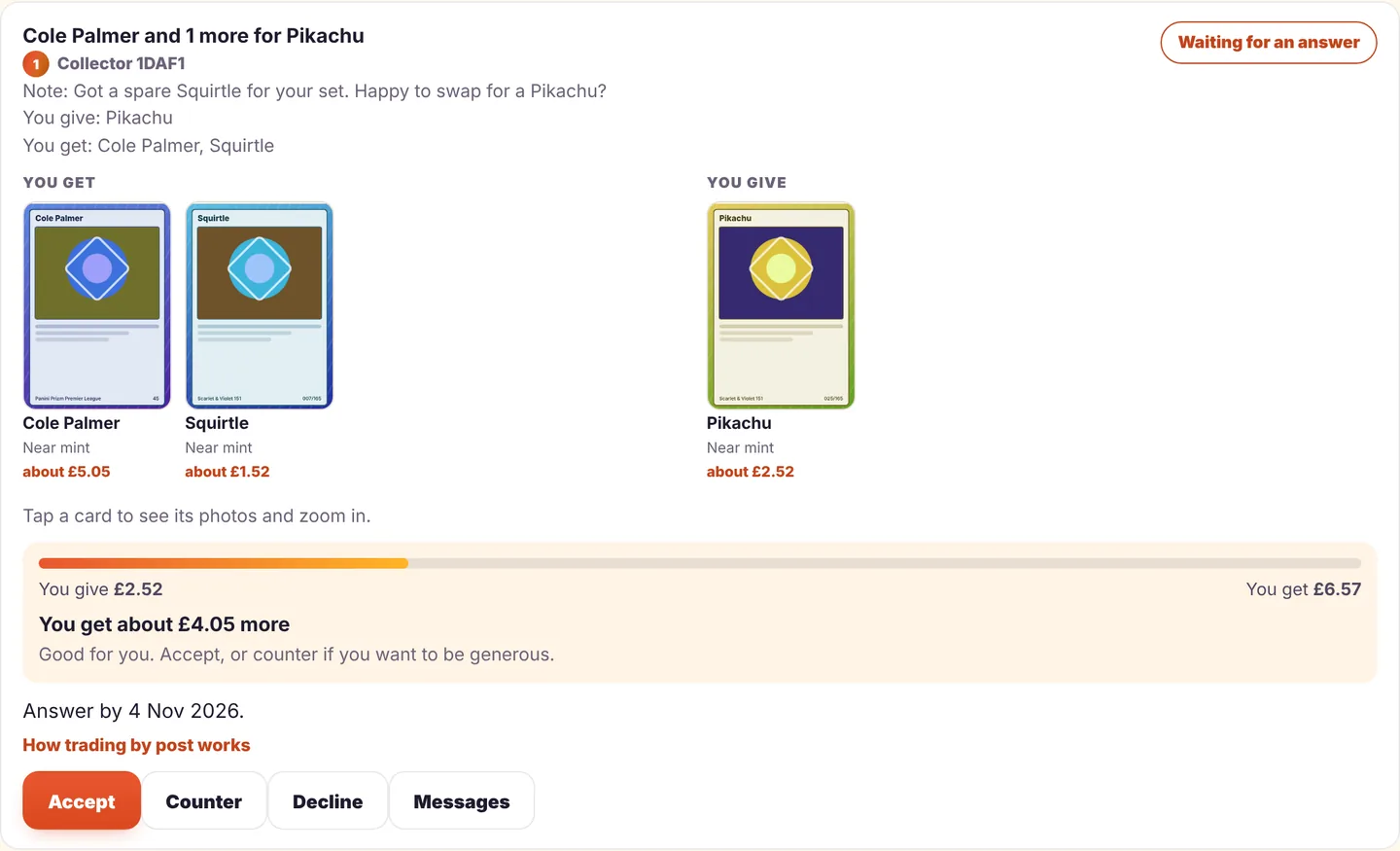
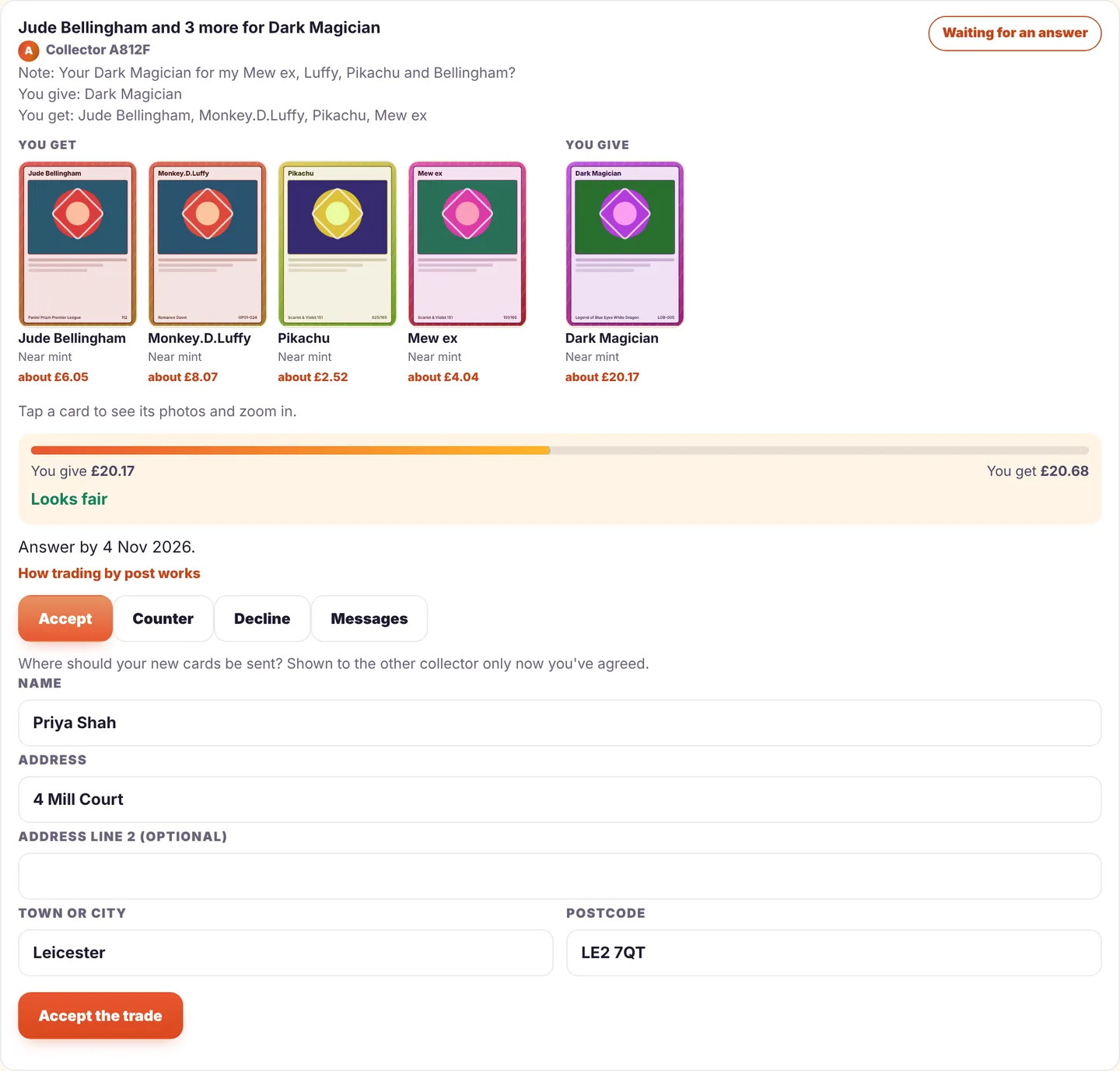
- Open the trade. You see each card's photos and value (tap a card to zoom in), the fairness bar, and the date to answer by.
- Choose Accept, Counter or Decline. Messages lets you ask a question first.
Counter an offer
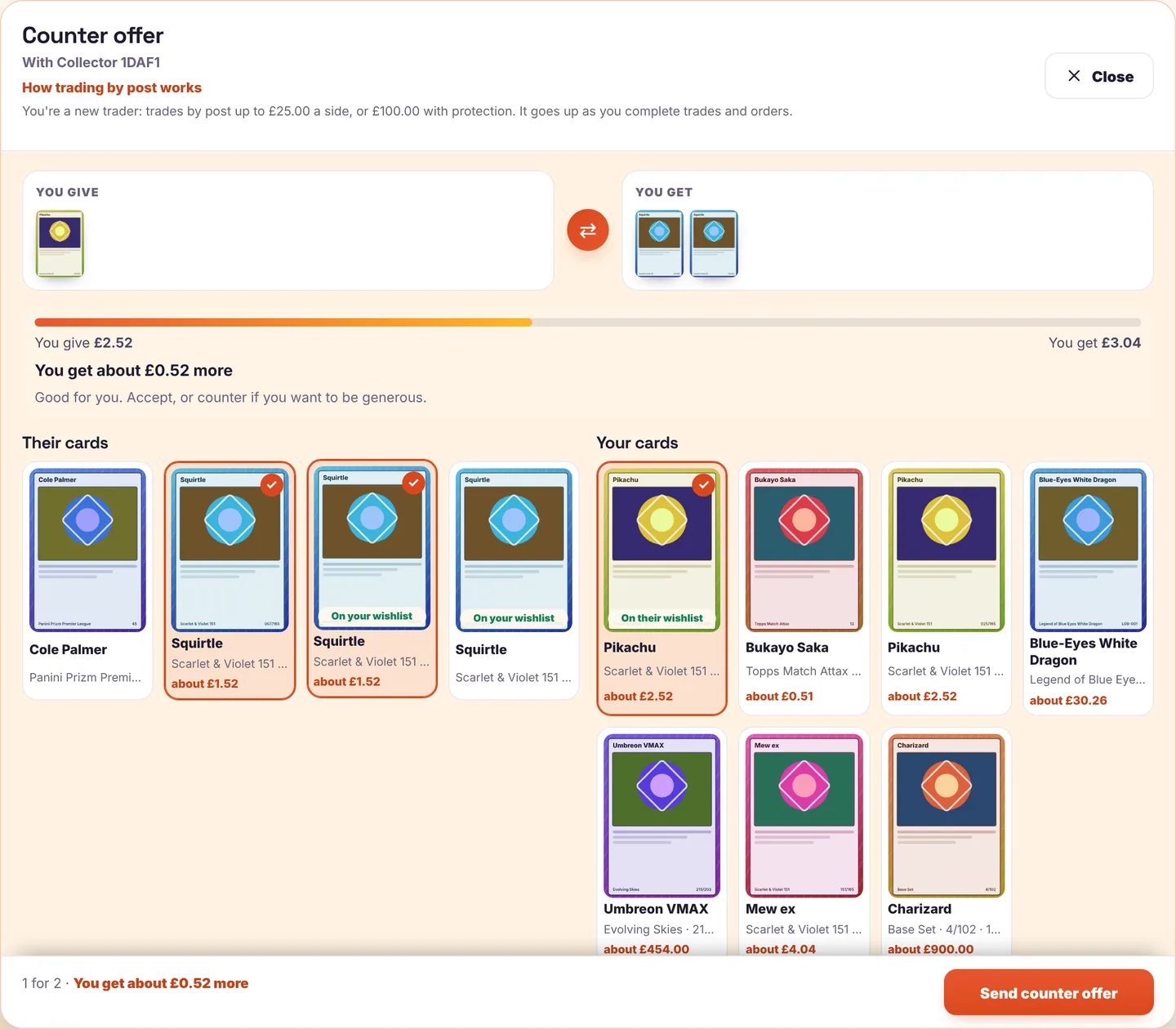
- Tap Counter. The same Make a trade screen opens with the current offer.
- Change either side, or the cash, and tap Send counter offer.
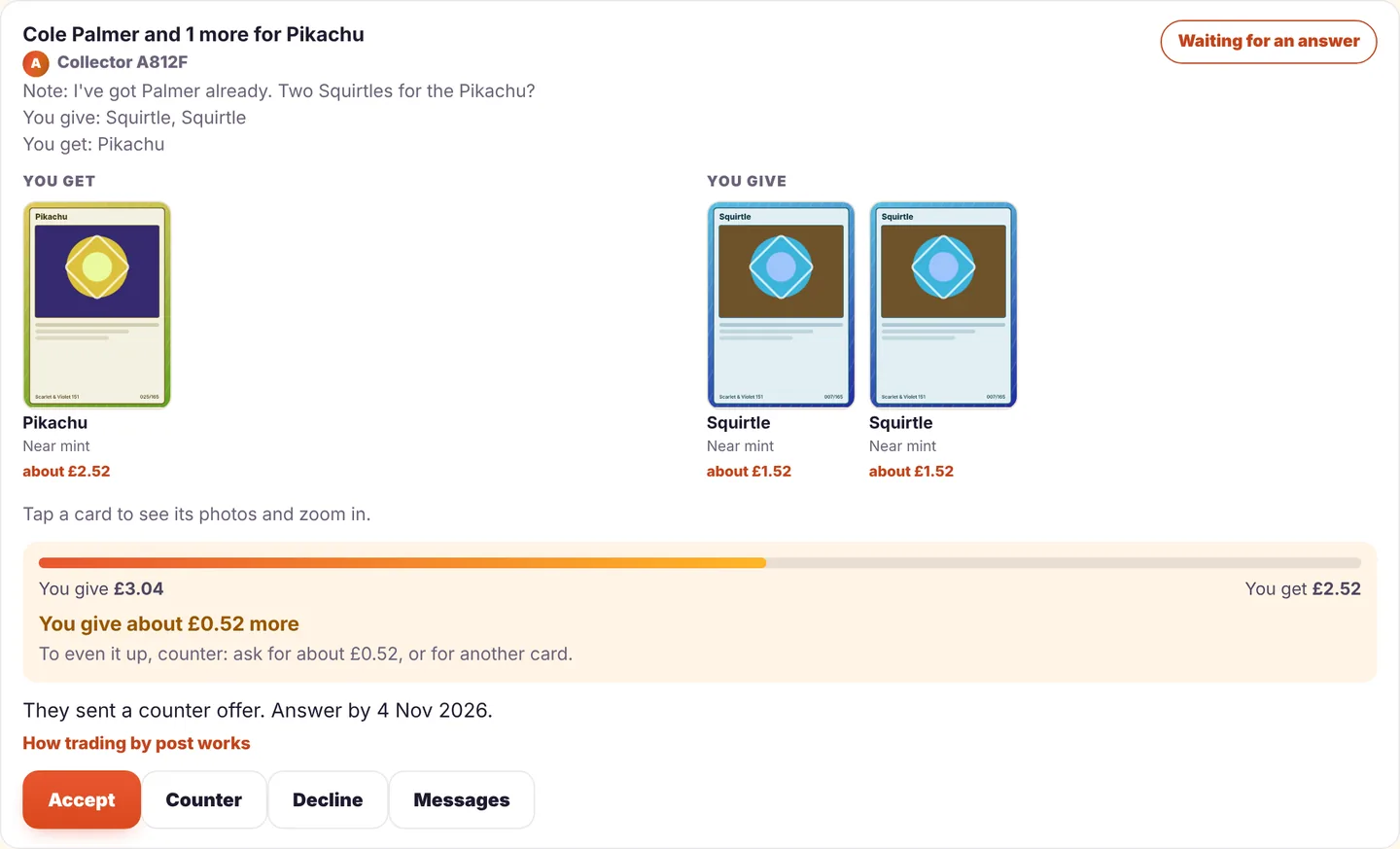
- It is now their turn. Each counter is a new round, and a trade can go up to 10 rounds.
Accept an offer
- Tap Accept.
- Check the address your new cards should go to. It is only shown to the other collector now you have both agreed.
- Tap Accept the trade.
If the trade has cash, the payer has 24 hours to pay before anyone posts. A protected trade needs both deposits within 24 hours. Otherwise you both post straight away.
Post your cards
You each post your own cards within 4 days. If the trade has cash or deposits, the 4 days start once they are paid.
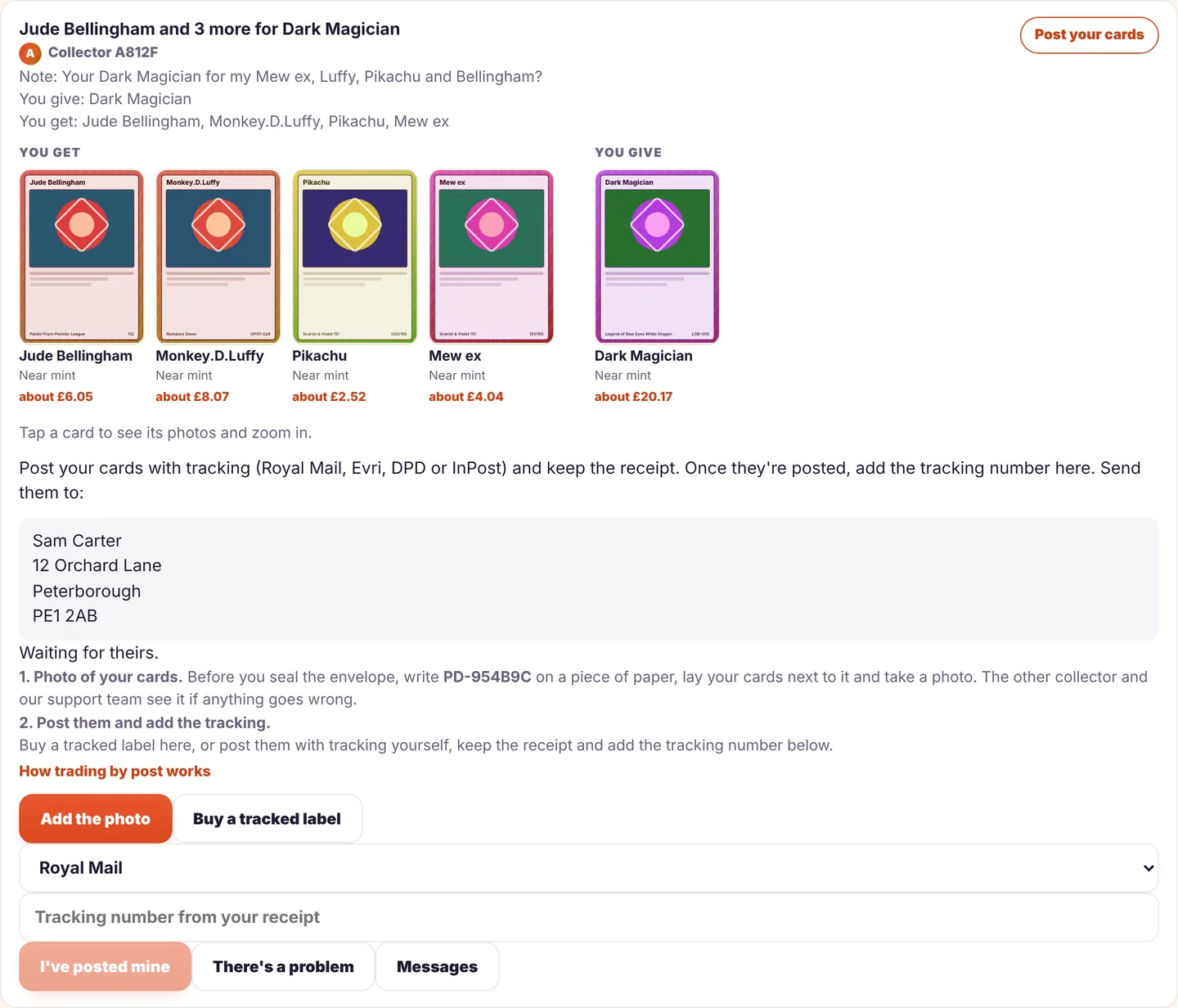
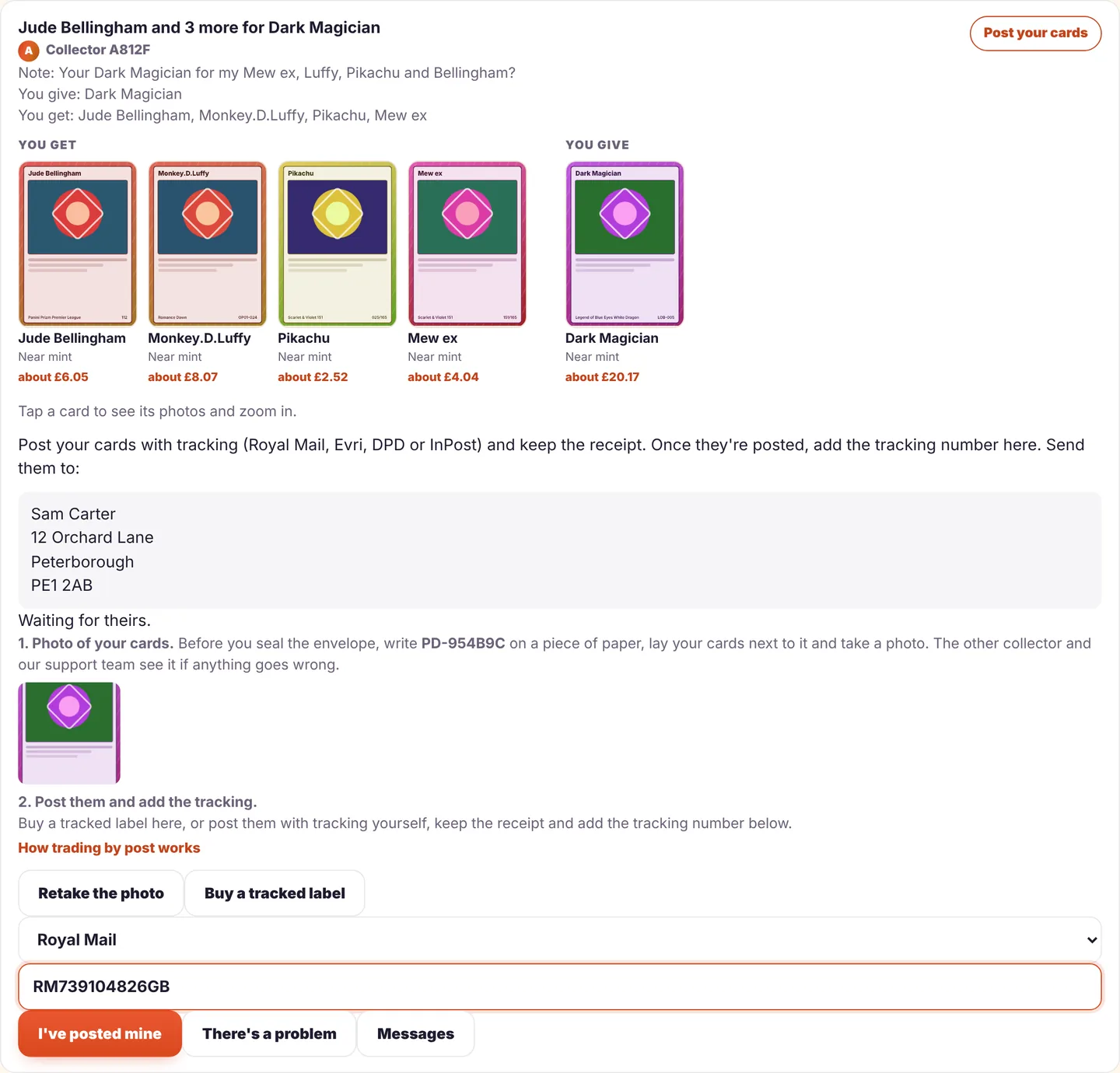
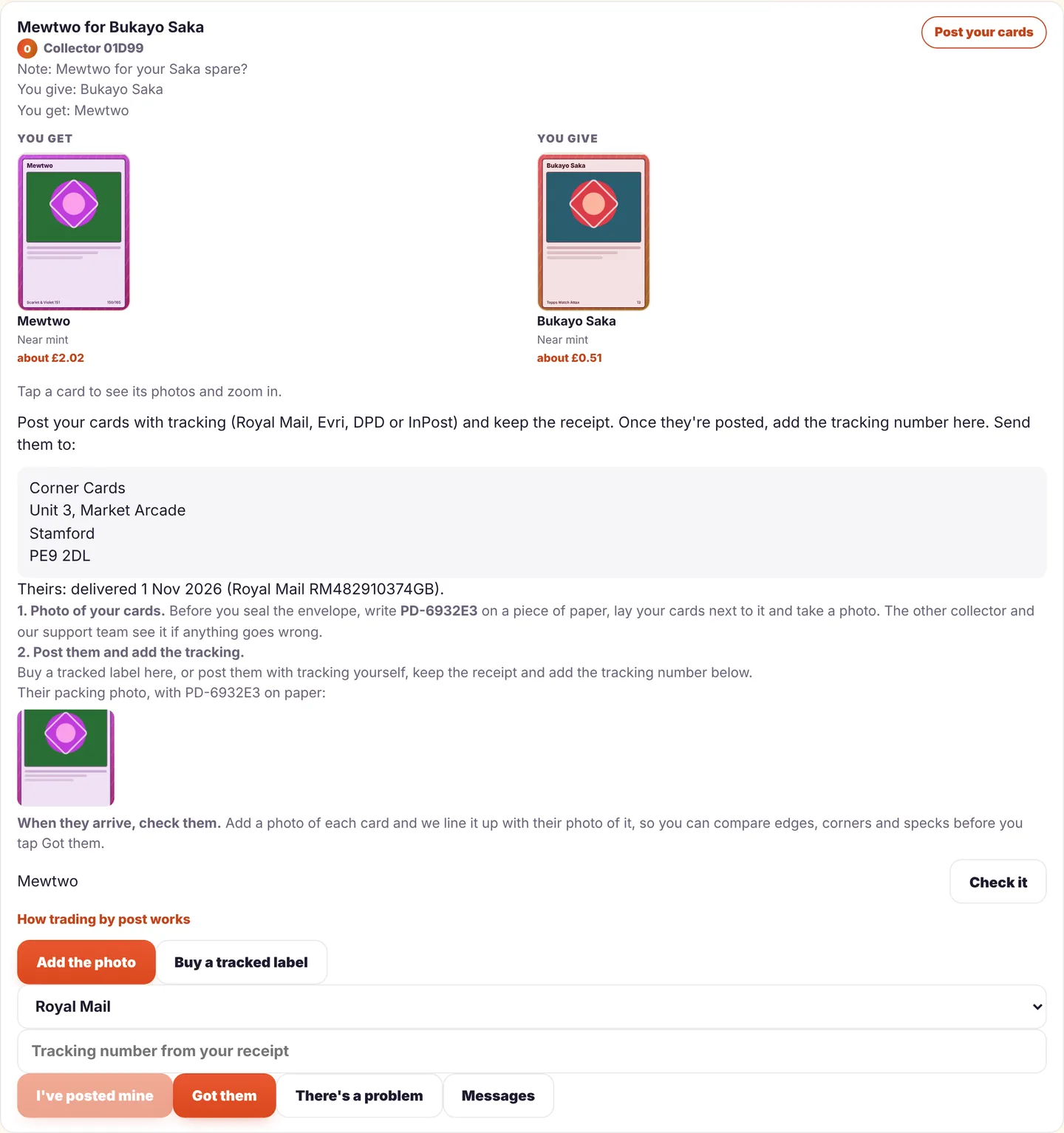
- Photo of your cards. Write the trade code (for example PD-954B9C) on a piece of paper, lay your cards next to it and tap Add the photo. The other collector and our support team see it if anything goes wrong.
- Post them with tracking. Either tap Buy a tracked label to buy a Royal Mail tracked label through Playdecko, or post them yourself with Royal Mail, Evri, DPD or InPost and keep the receipt.
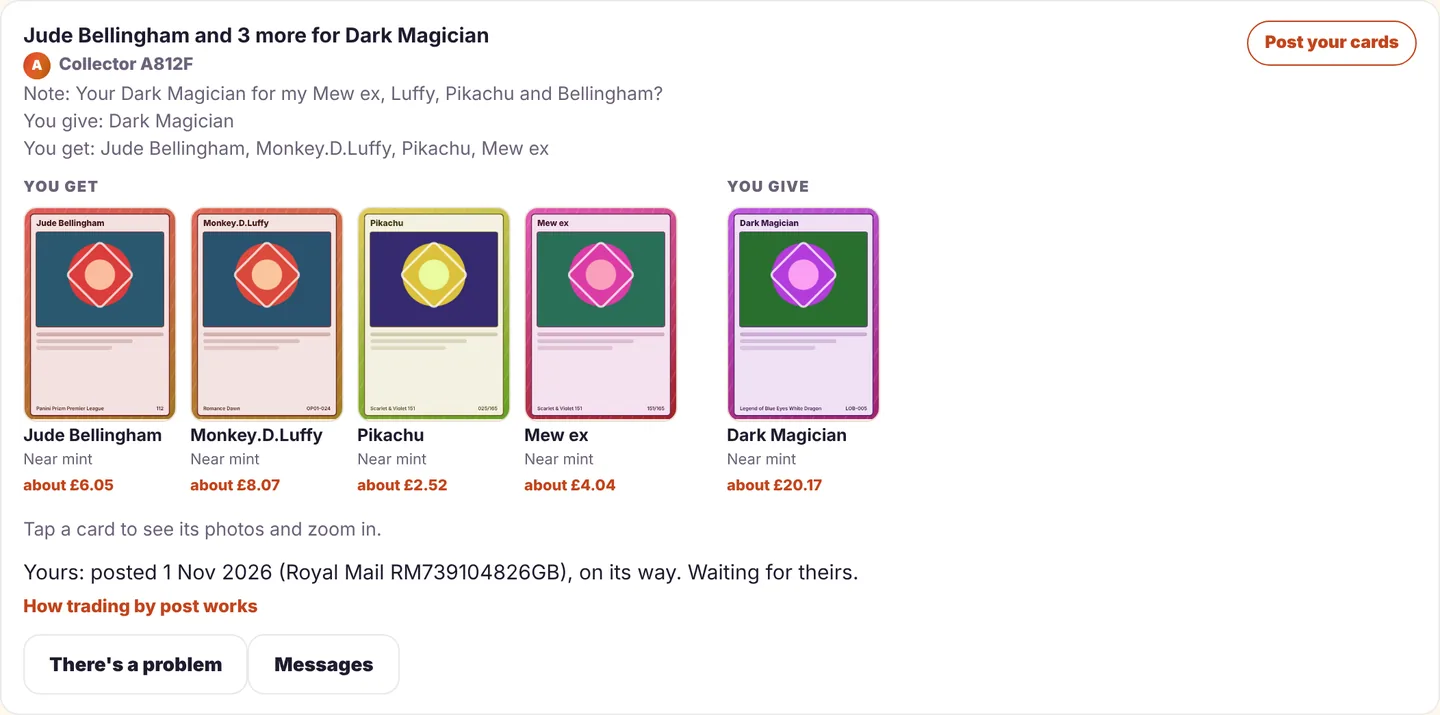
- Choose the carrier, type the tracking number from your receipt, and tap I've posted mine.
For cards worth more than about £50, Playdecko suggests Special Delivery or extra cover, because standard tracked services only cover a limited amount. We remind you a day before your posting deadline.
Messages
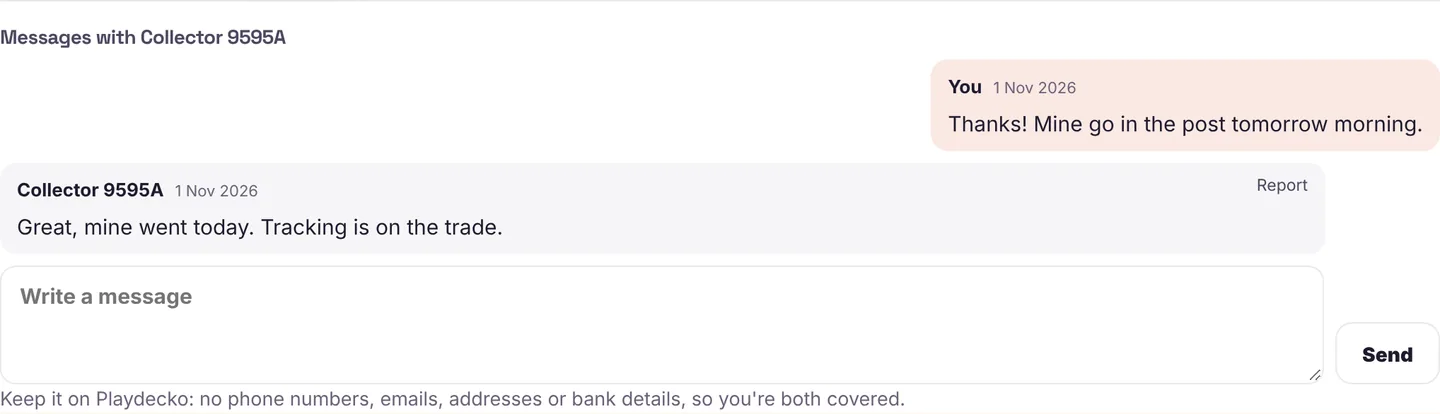
Each trade has its own message thread between the two of you. Keep it on Playdecko: no phone numbers, emails, addresses or bank details, so you are both covered. You can report a message with Report.
When theirs arrive
- Playdecko follows the tracking and tells you when their cards are delivered. Their packing photo is on the trade.
- Tap Check it next to each card and add a photo of it. Playdecko lines your photo up with theirs so you can compare edges, corners and specks.
- If they match, tap Got them.
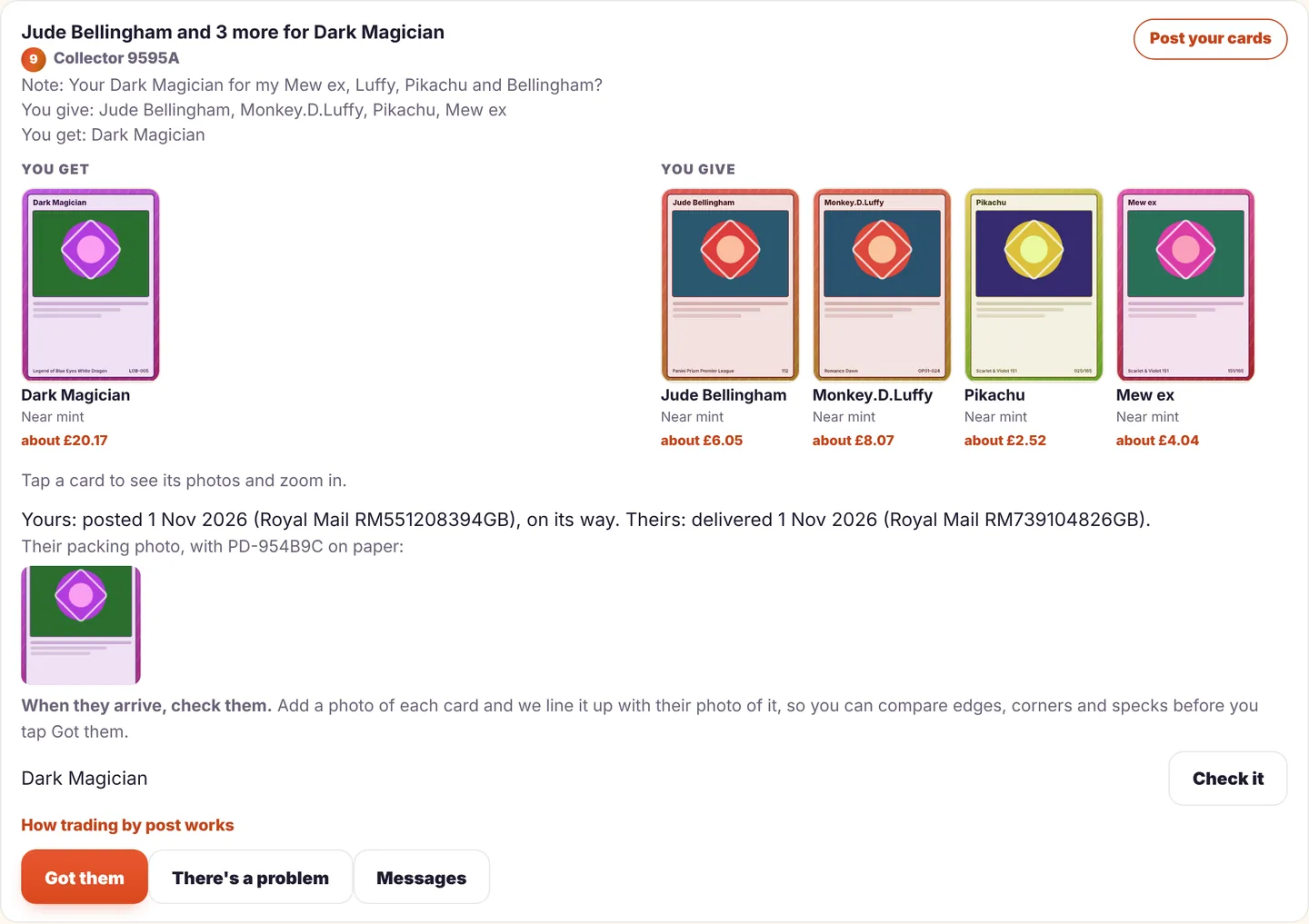
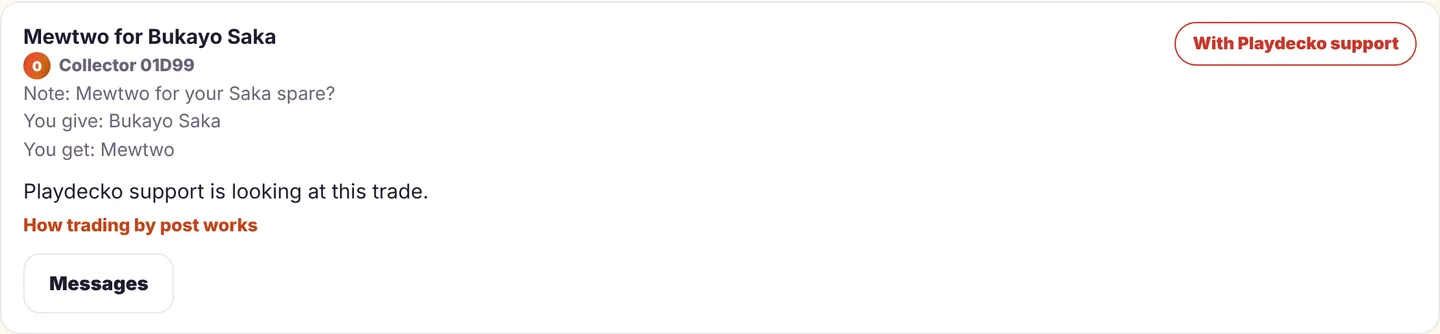
The trade completes only when you have both tapped Got them. It never completes on its own: if it is still unconfirmed after 14 days, our support team looks at it.
When the trade is done
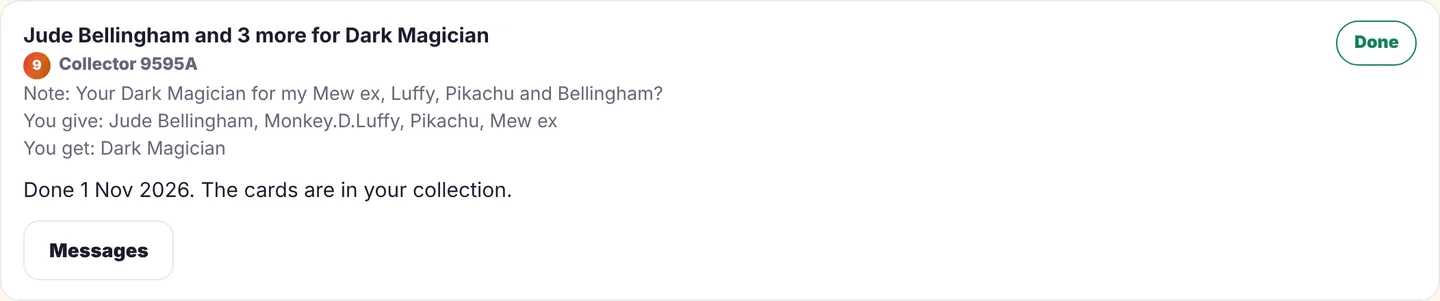
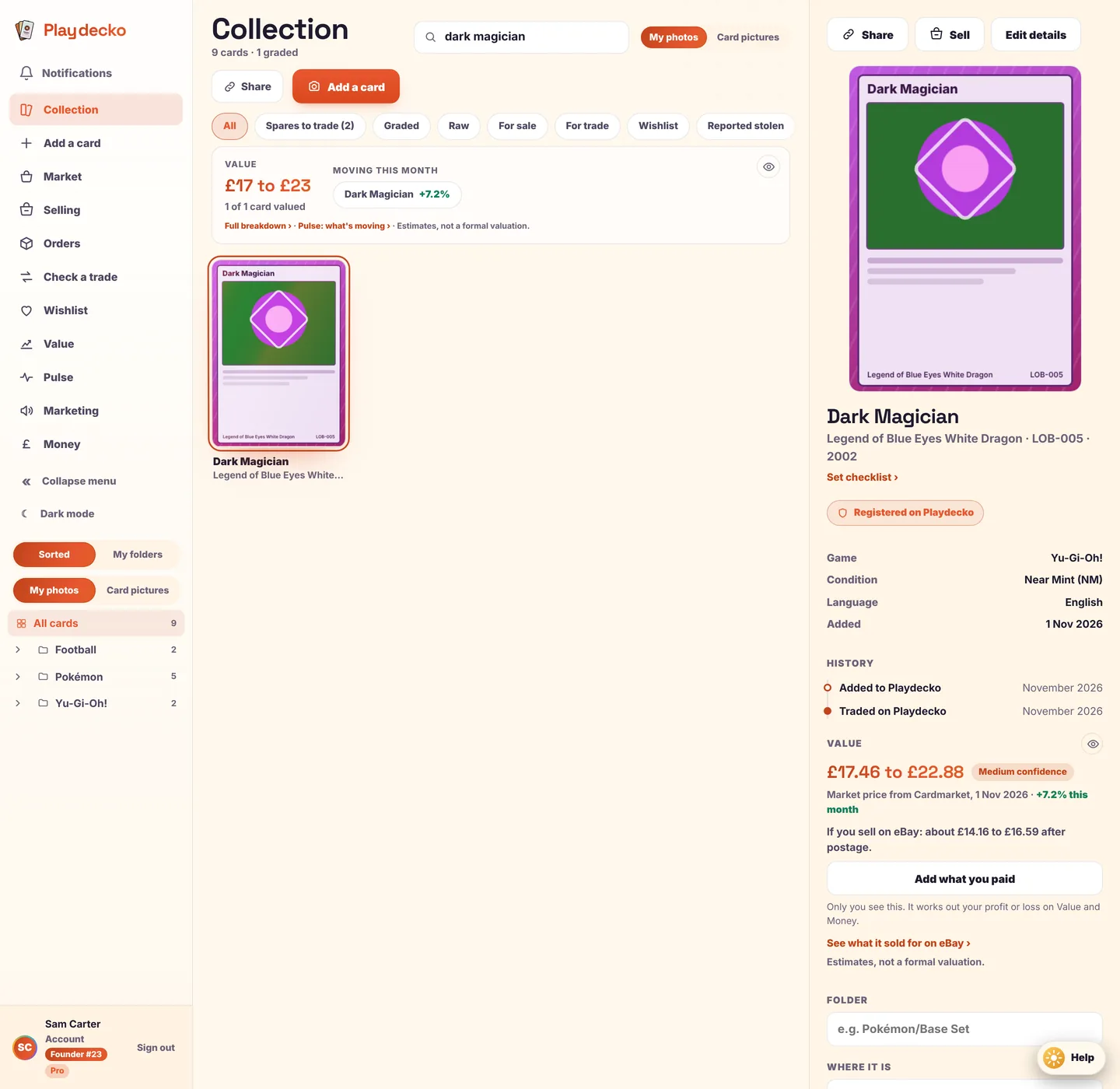
The cards move into each other's collections and file themselves by game and set. The trade shows as Done, and the card's history shows Traded on Playdecko.
If something goes wrong
- Before you tap Got them, tap There's a problem.
- Say what is wrong. Any cash and deposits are held, and our support team decides.
Not posting in time after the other collector has posted is a strike. Two strikes in a year pause trading by post for 90 days. You can still swap face to face.
Face to face swaps
Swapping in person, at a card shop or event, is started at the trade table in the Playdecko app: Trade, Swap in person. You both add your cards and confirm, and the cards change owners straight away. There is no limit on value. Face to face trades started in the app show on the Trades tab on the website while they are open.
Kids: recording a swap
Children under 13 use Playdecko on a device their parent set up. They never see prices, chat or the market, and they can't trade by post or tag cards for trade.
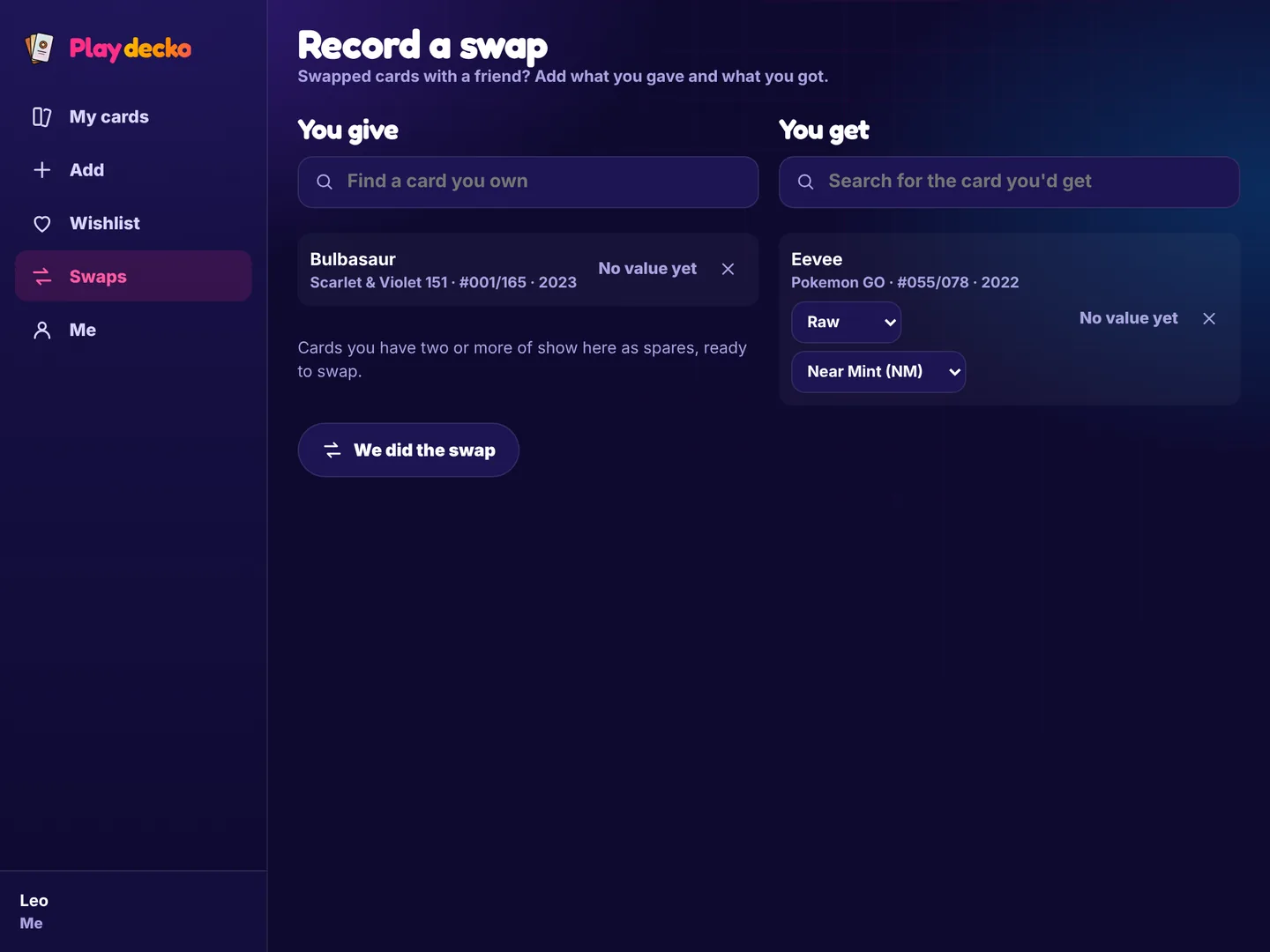
- On the child's device, open Swaps. The page is called Record a swap.
- Under You give, find the card they gave away.
- Under You get, search for the card they got.
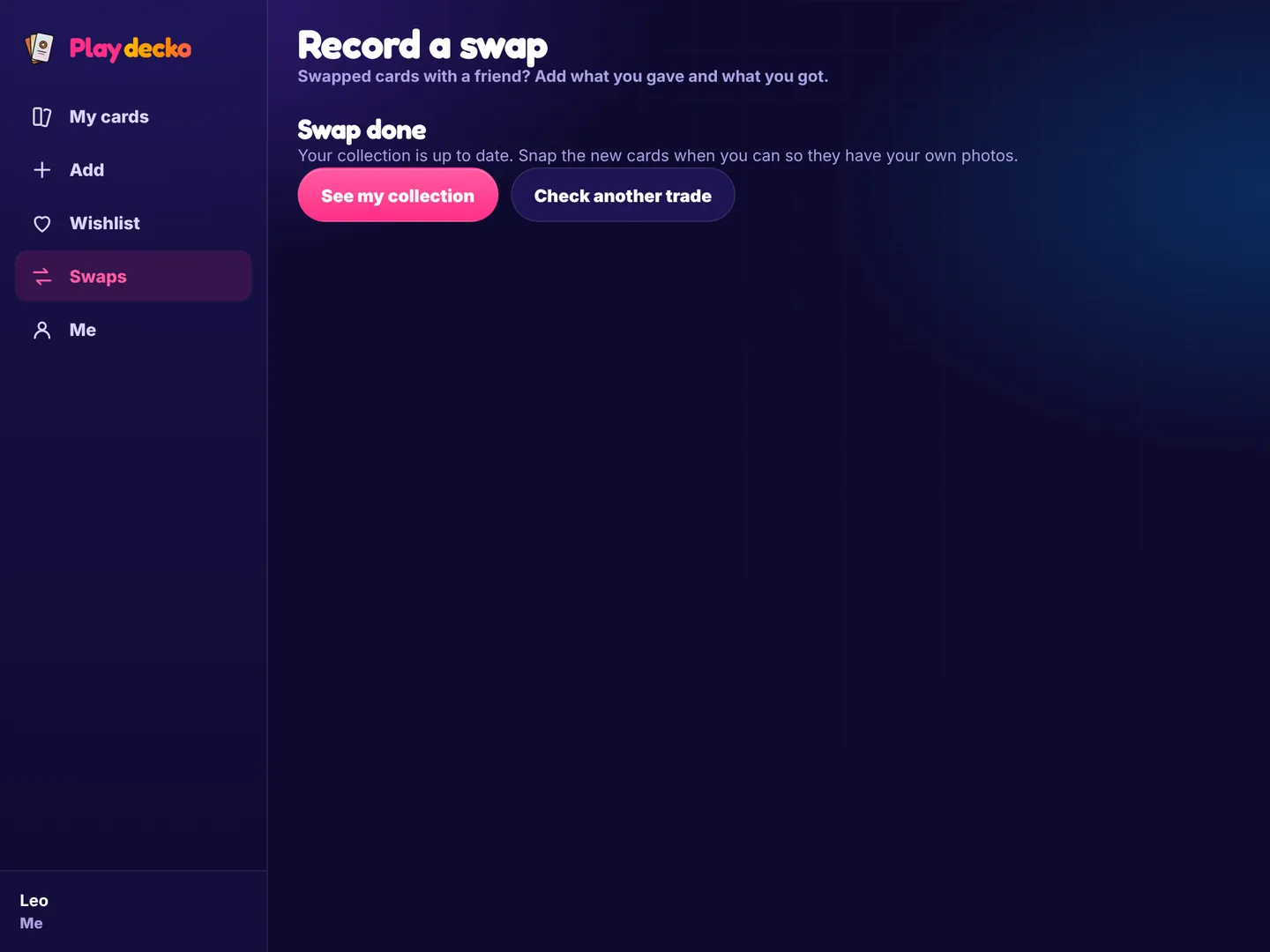
- Tap We did the swap. Their collection is updated and the swap is noted for their parent.
What the parent sees
- On your own account, open Account, then Open next to your child.
- Their binder lists every card, with Swaps with friends showing what they gave and got, and when.
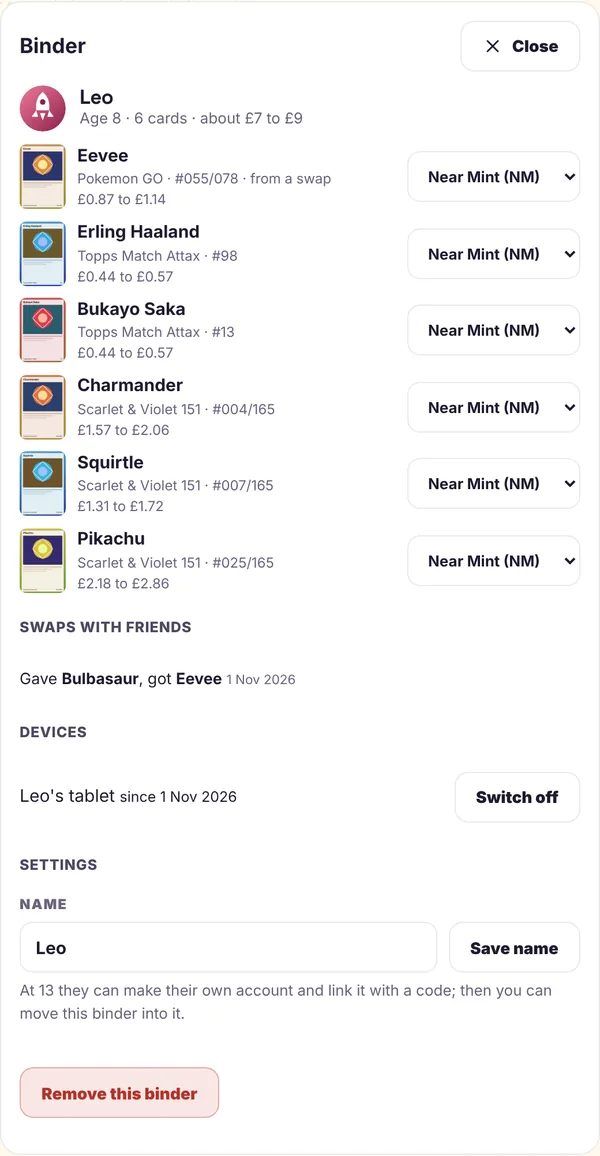
Screenshots show example collections. Values are estimates, not a formal valuation. Questions? Ask Sunny in the app, and a person from Playdecko is always a tap away.