
Collection value and Pulse
Playdecko puts a value on the cards in your collection and shows how those values move. Pokémon cards get market prices automatically. For other cards, and for graded copies, Pip (Playdecko's AI helper) looks up recent sales. The Value page breaks your whole collection down, and Pulse shows what is moving across Playdecko this week. Every figure is an estimate, not a formal valuation.
See your collection's value
-
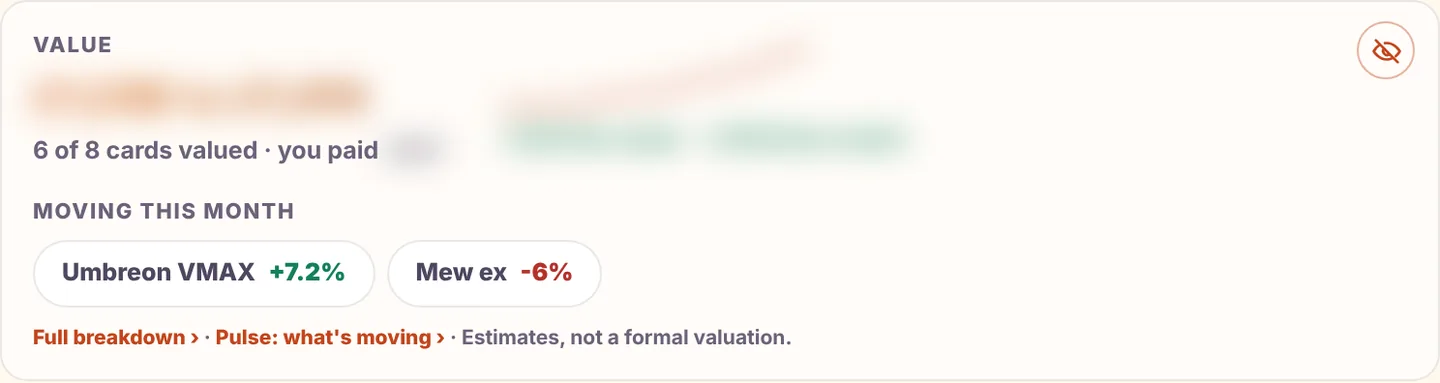
Open Collection. The Value strip above your cards shows the range for everything valued, how many cards have a value, and what you paid if you've recorded it. A small chart shows the change this week and this month, with any cards moving 5% or more this month listed underneath.
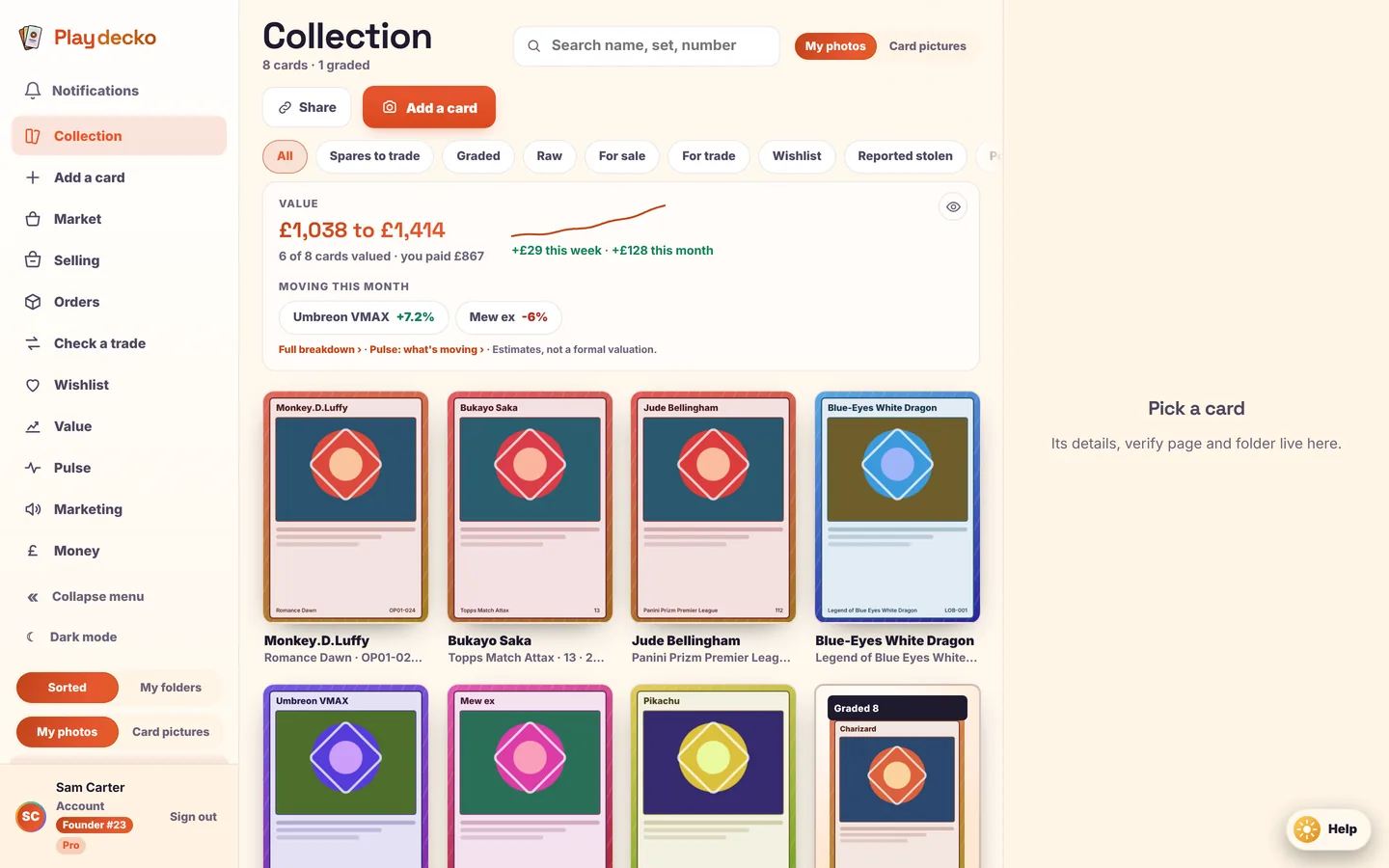
The Value strip at the top of your collection 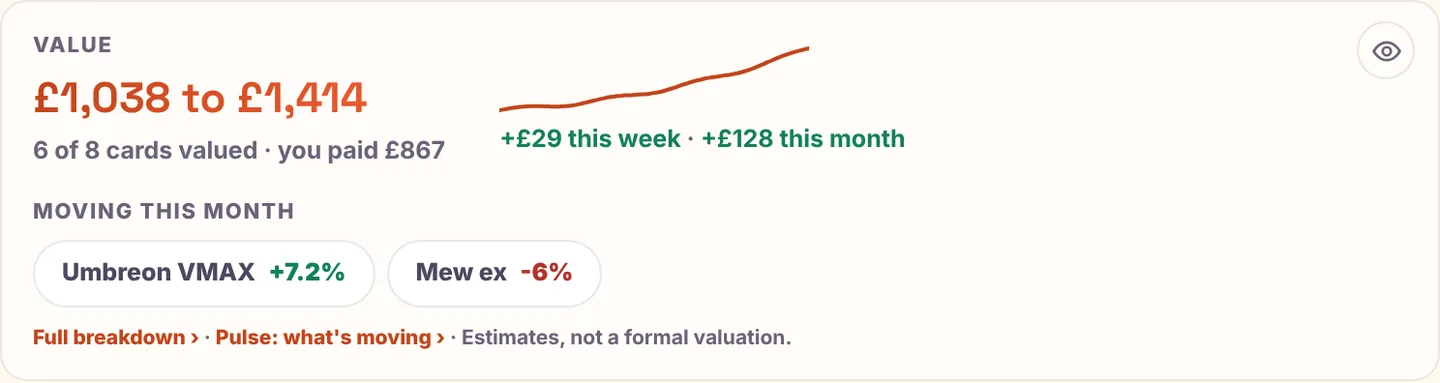
Close up of the Value strip -
On a phone the strip is one line so your cards still come first. Tap it to open the chart and the cards that are moving.
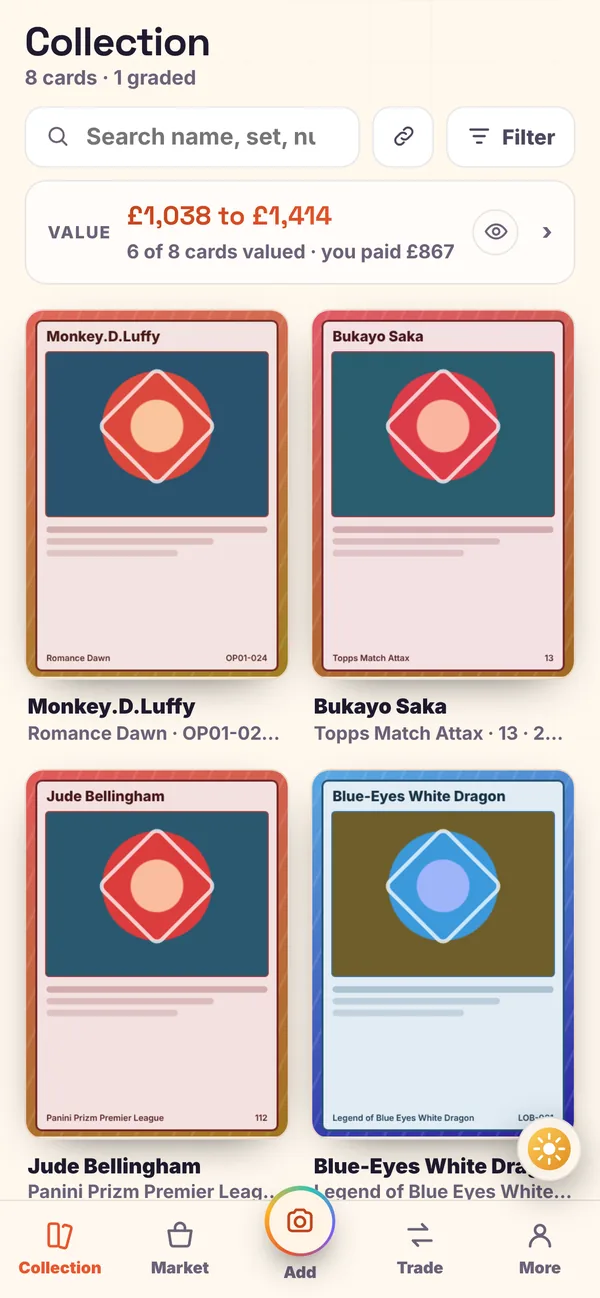
The Value strip on a phone 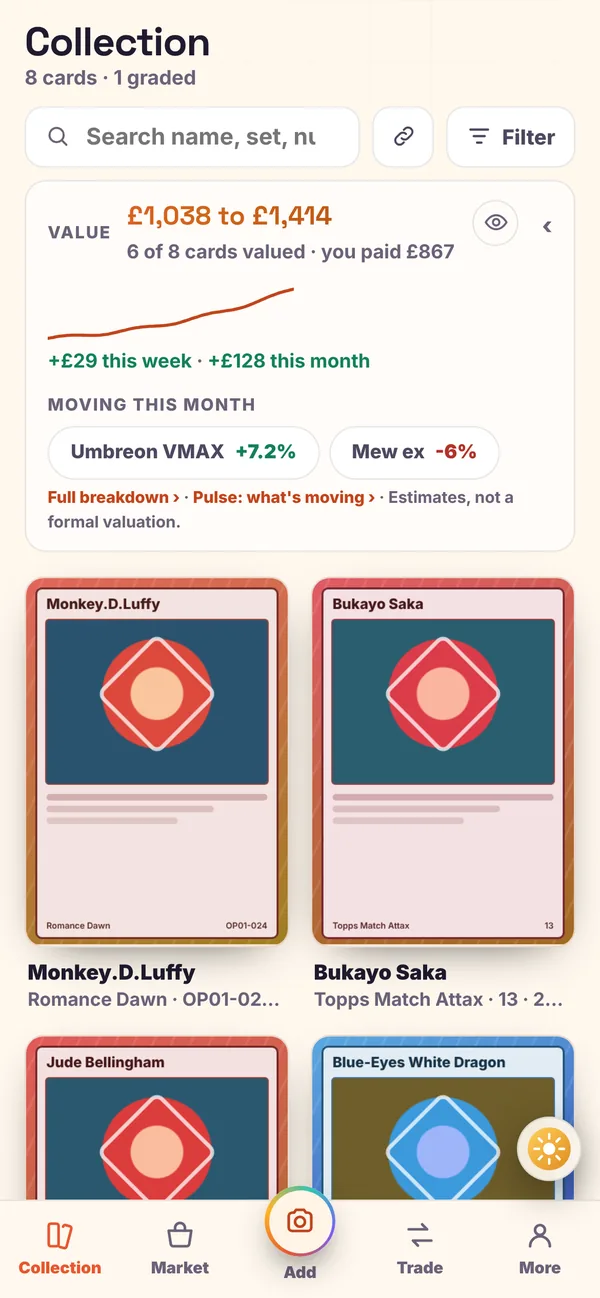
The Value strip opened on a phone -
Tap Full breakdown to open the Value page, or Pulse: what's moving to see the market.
Hide values
If you're showing your collection to someone, tap the eye button. Values blur on every page until you tap it again, and this device remembers your choice. In kid mode values are always hidden.
Check one card's value
-
Tap a card in your collection. Its value is in the Value section of the card panel.
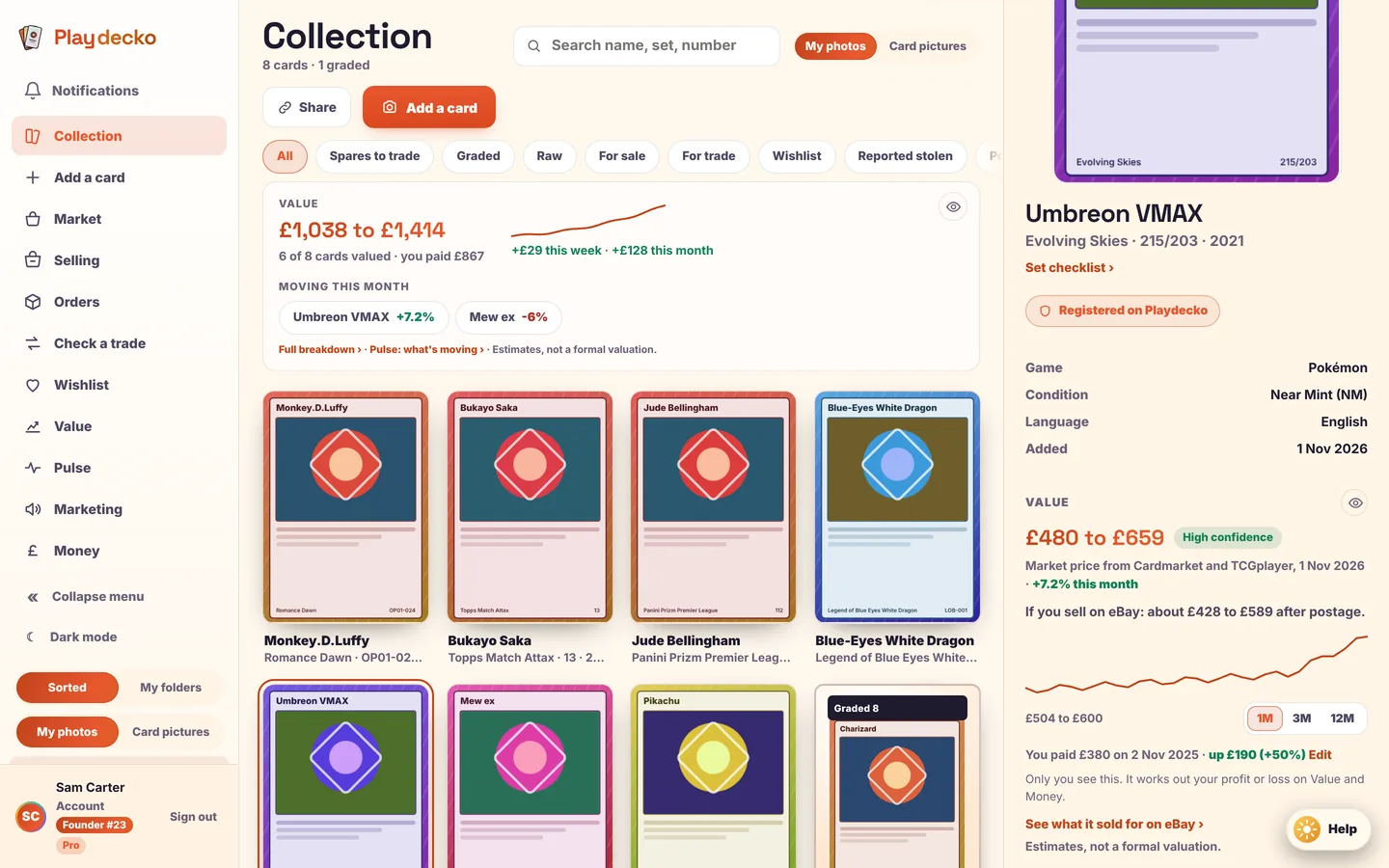
A card's value in the card panel -
For a Pokémon card with a market price you'll see:
- the value range and how confident it is (High, Medium or Low). High means Cardmarket and TCGplayer agree within 35%; a price more than 14 days old is always Low, and so is a card in less than near mint condition one step down.
- where the price comes from and how much it has moved this month (shown from 5%).
- If you sell on eBay: roughly what you'd get after postage, as an eBay UK private seller.
- a price chart for 1, 3 or 12 months.
- what you paid, and whether the card is up or down on it. Only you see this.
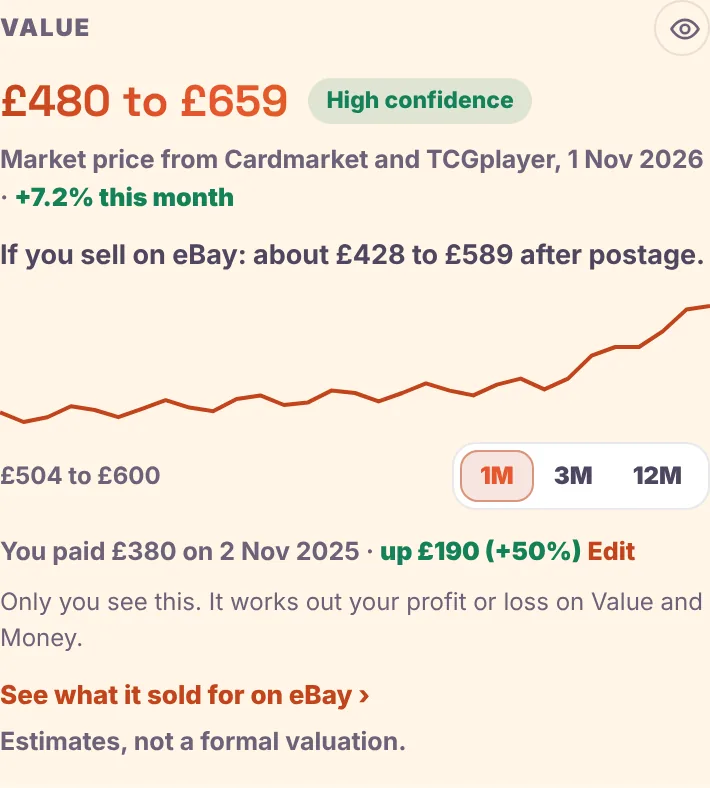
Market value, eBay estimate, price chart and what you paid 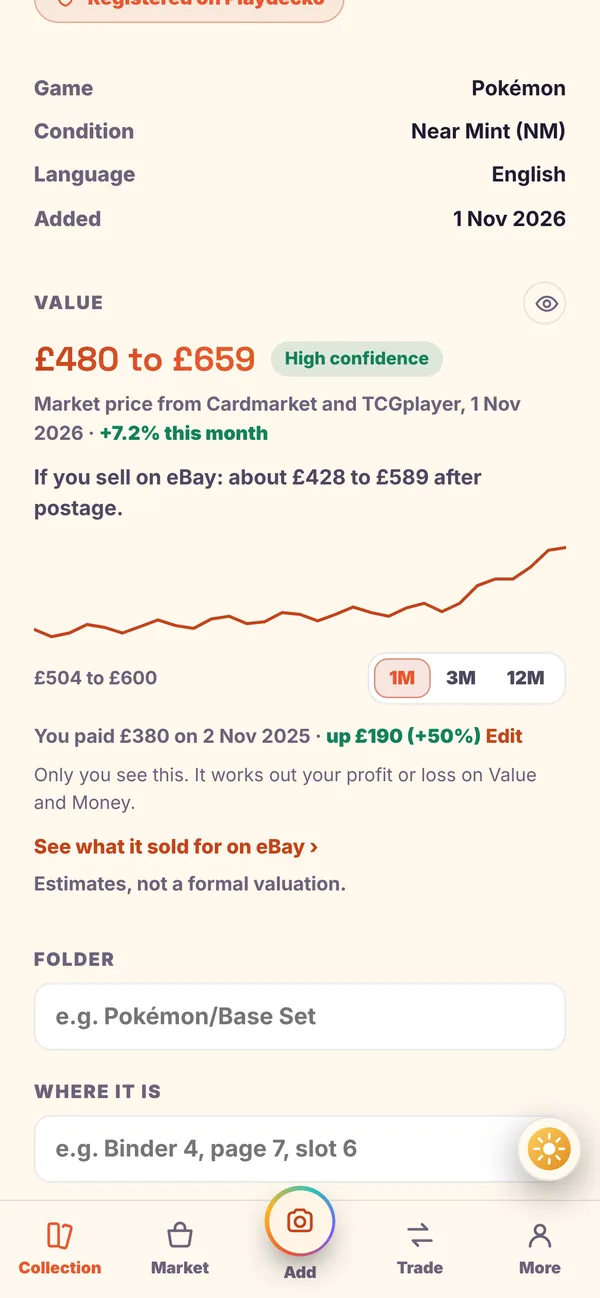
A card's value on a phone -
Graded cards and cards from other games get their value from Pip instead. Open Sales Pip used to see the sales behind the estimate. Where Pip already has a recent valuation of the same card at the same grade (from the last 30 days), it arrives straight away, and it still uses one of your valuations. If it looks wrong, tap Not right? Ask Pip to look again.
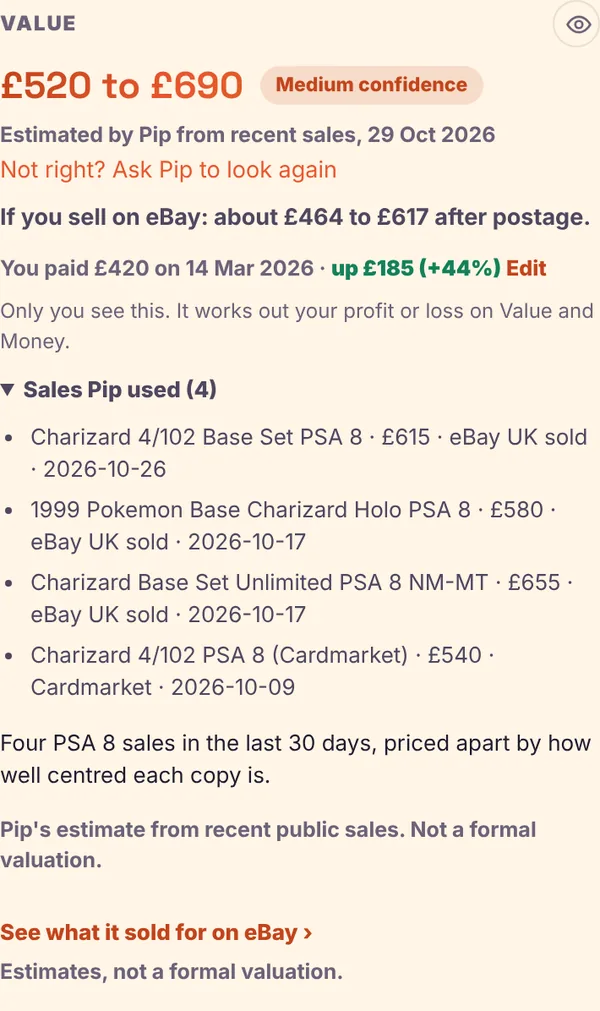
A graded card valued by Pip, with the sales Pip used -
If a card has no value yet, tap Ask Pip to value it. Pip takes a couple of minutes and rings the bell when she's done. Free gives you 5 Pip valuations a month and Pro gives you 15; they reset on the 1st.
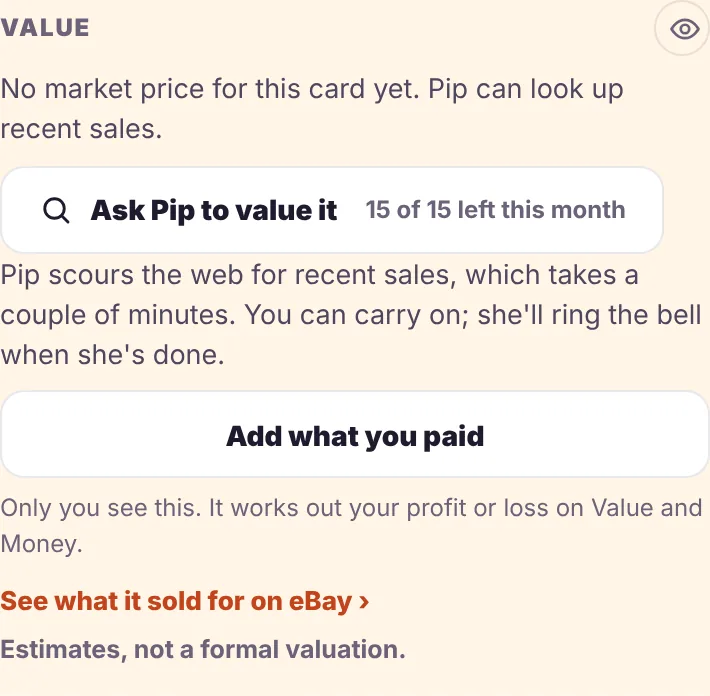
A card with no value yet and the Ask Pip button -
Tap Add what you paid to record the price and date. It works out your profit or loss on the Value and Money pages.
Under 18s see Pip's estimate but not the eBay figures or sale links.
Use the Value page
Open Value from the menu (on a phone it's under More).
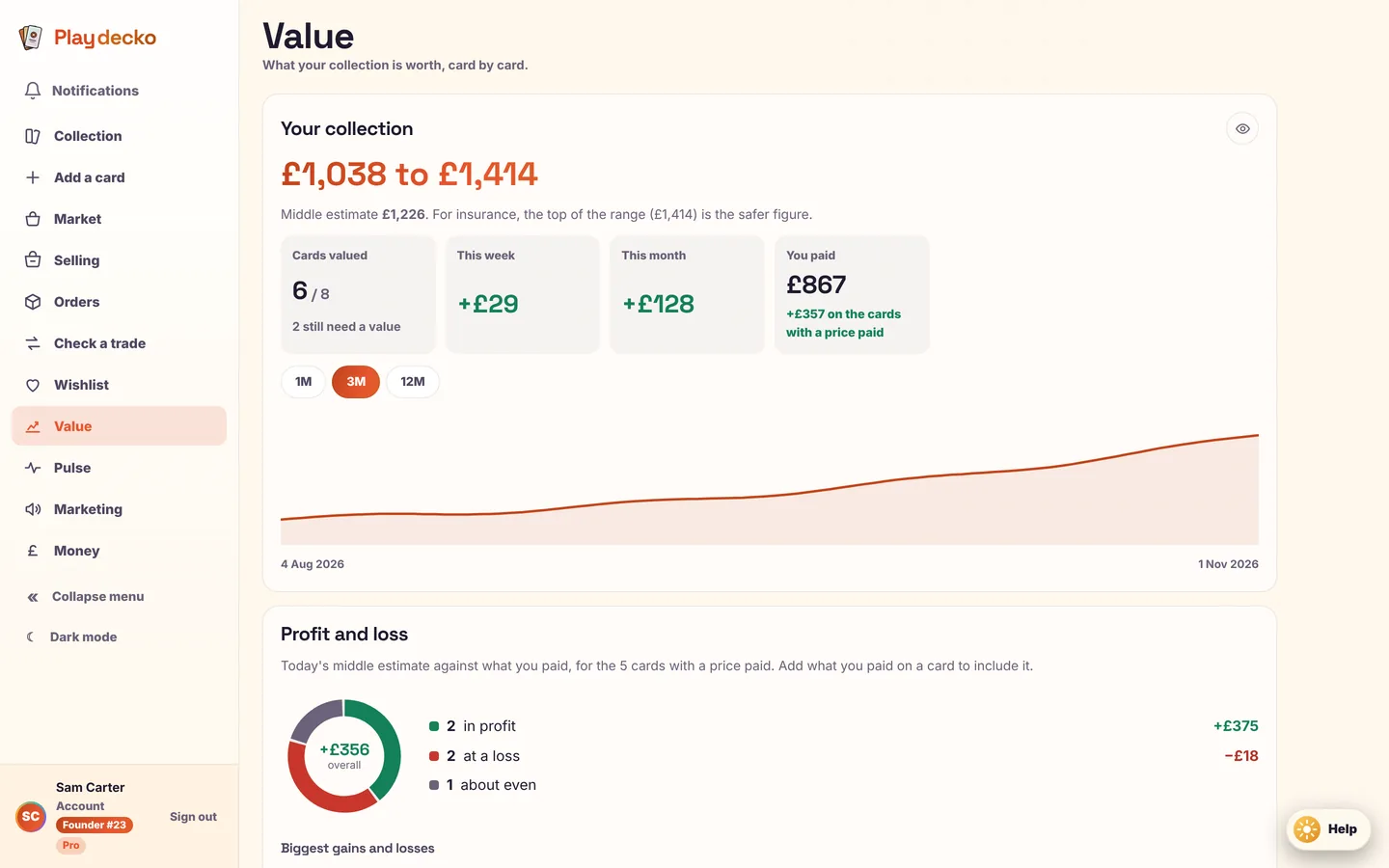
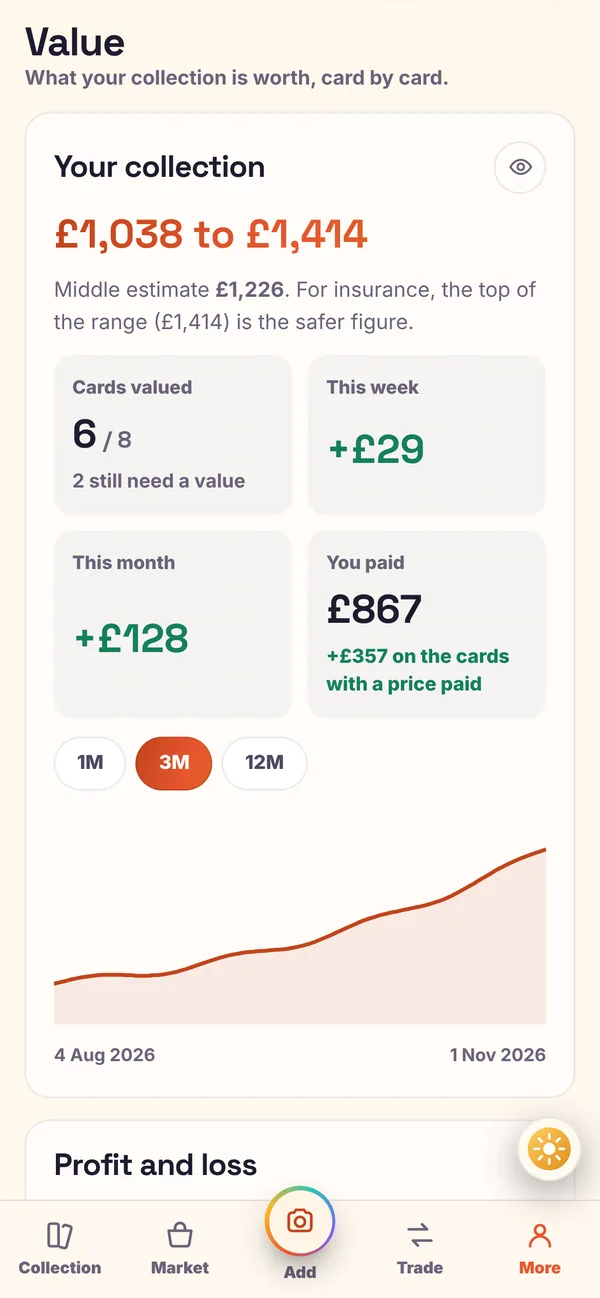
-
Your collection: the total range, the middle estimate and, for insurance, the top of the range. Tiles show how many cards are valued, the change this week and this month, and what you paid. The chart covers 1, 3 or 12 months.
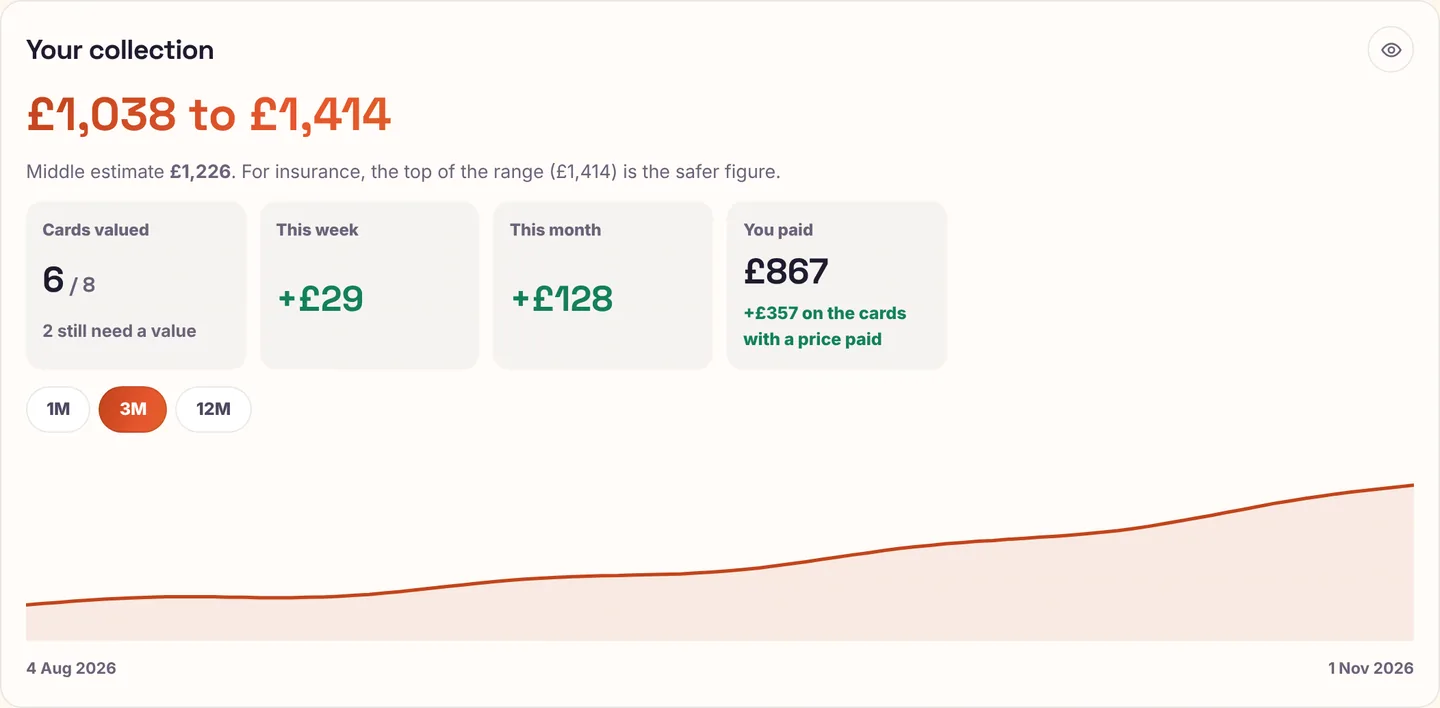
Collection total, tiles and chart -
Profit and loss: today's middle estimate against what you paid, for every card with a price paid. A card within 5% (or £1) of what you paid counts as about even.
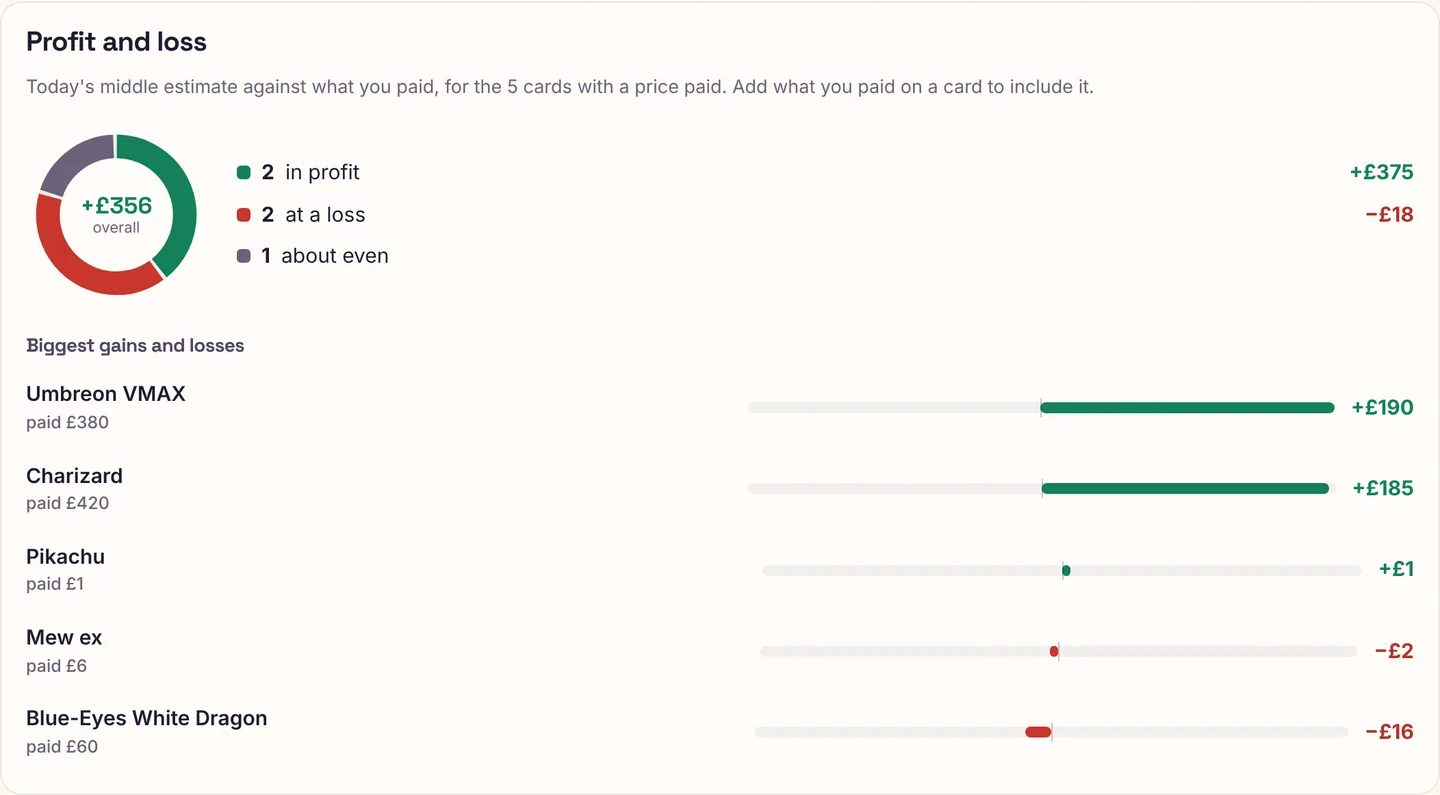
Profit and loss -
Top cards: your most valuable card and its share of the total, then the next nine. Solid, Fair and Rough show how sure each value is, and Pip marks values from Pip.
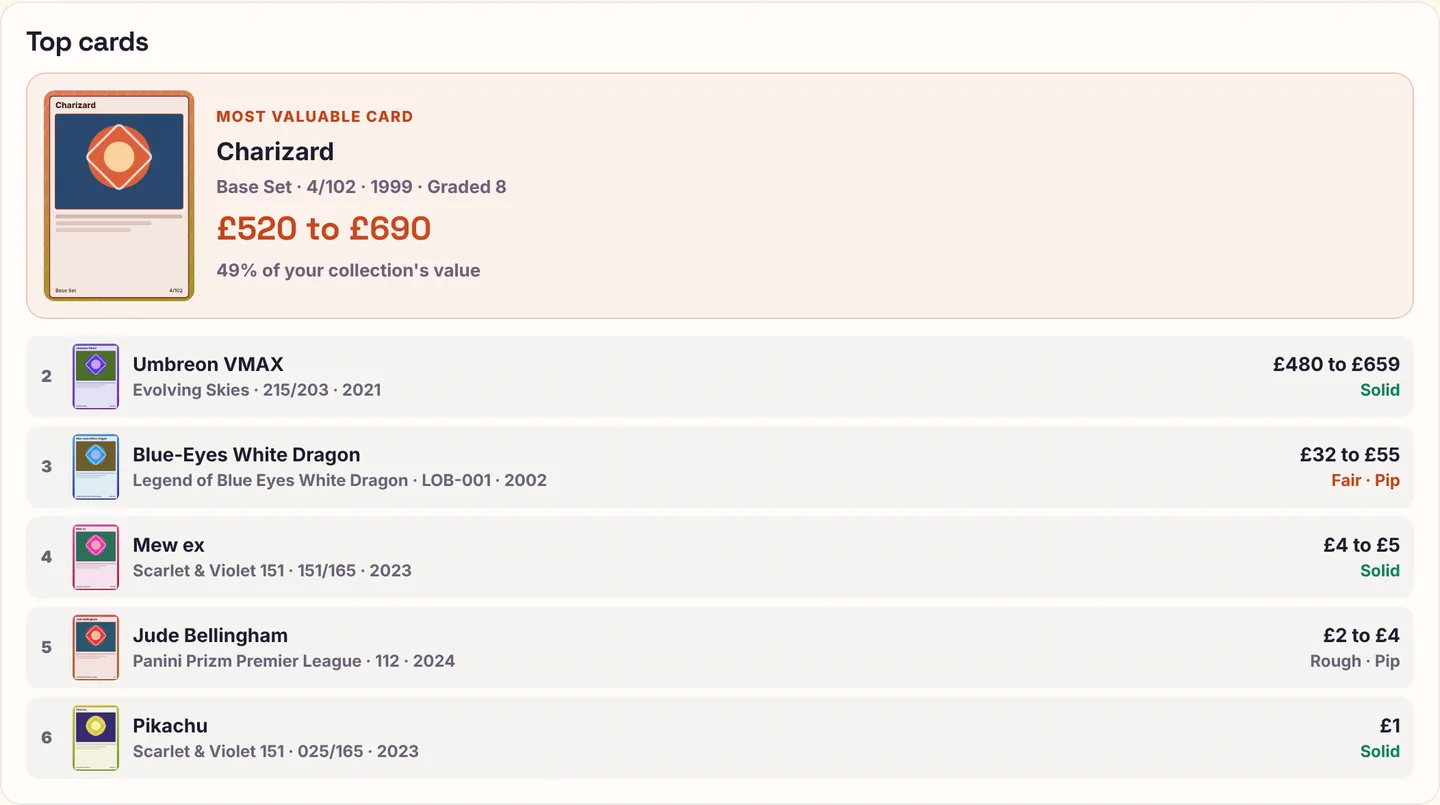
Top cards -
Moving this month: cards whose market price has moved 5% or more.
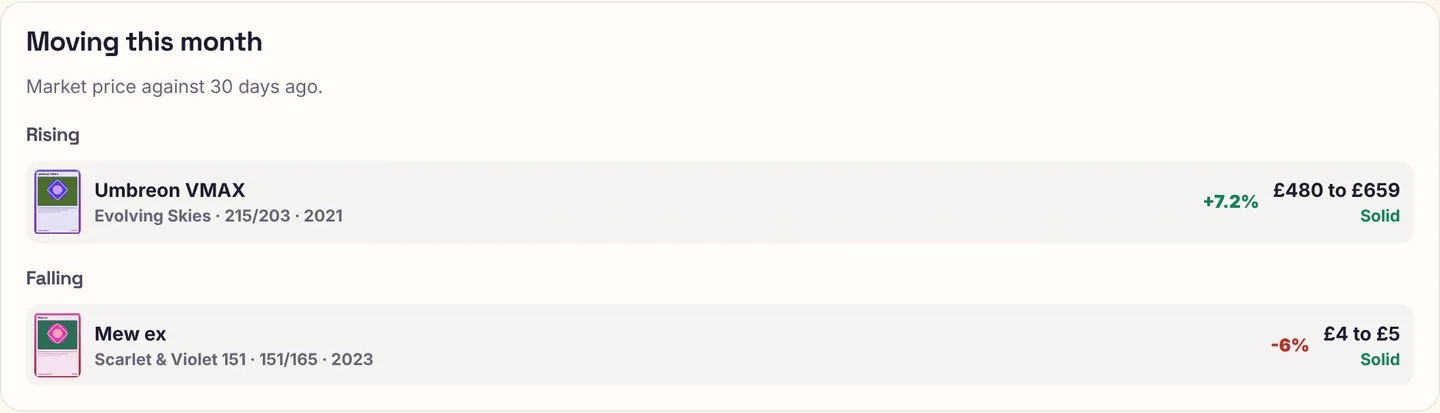
Cards moving this month -
By game, Top sets, Graded and raw and How sure break the value down.
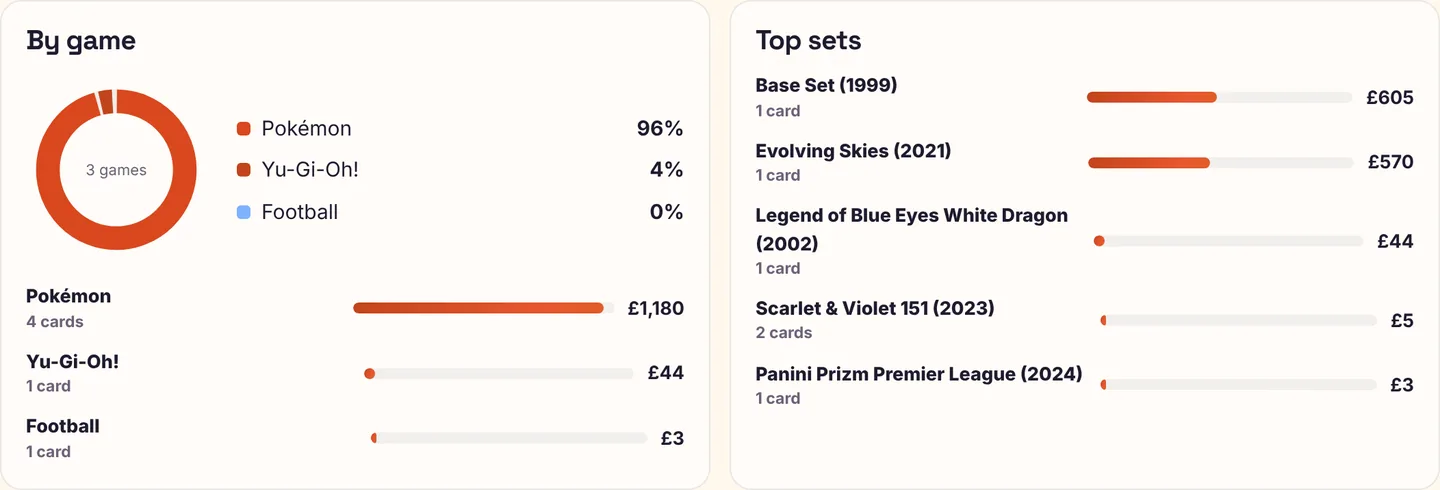
Value by game and top sets 
Graded and raw, and how sure the values are -
Not valued yet lists cards still without a value. Open one and ask Pip.
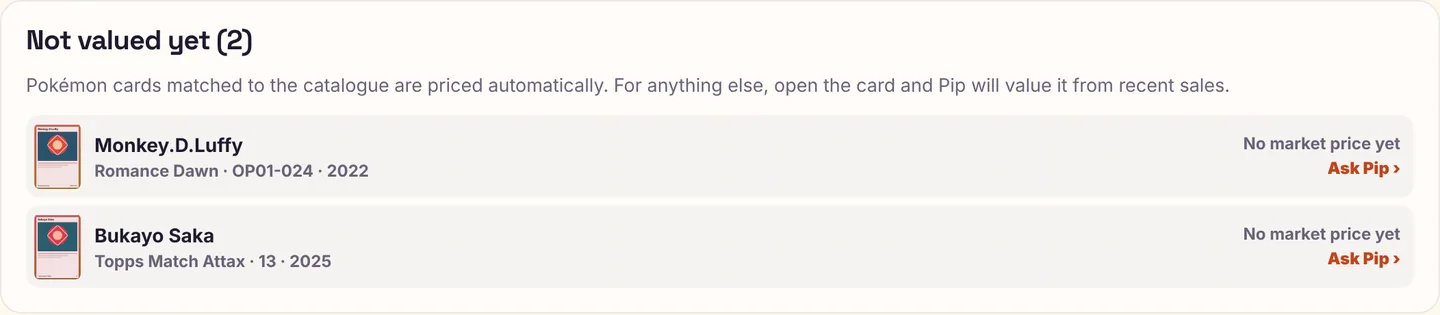
Cards not valued yet -
Keep a record: download a spreadsheet (CSV) of every card with its value range and what you paid. With Pro you can also download a dated PDF valuation report with photos, grades, values and where each value came from. It is our estimate, not a formal appraisal.
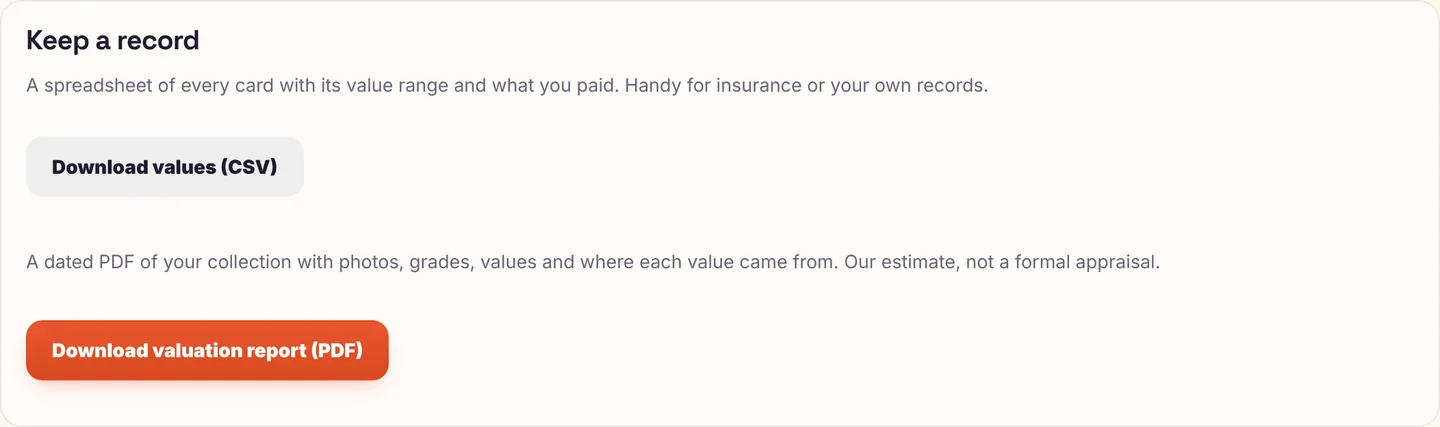
Keep a record with Pro 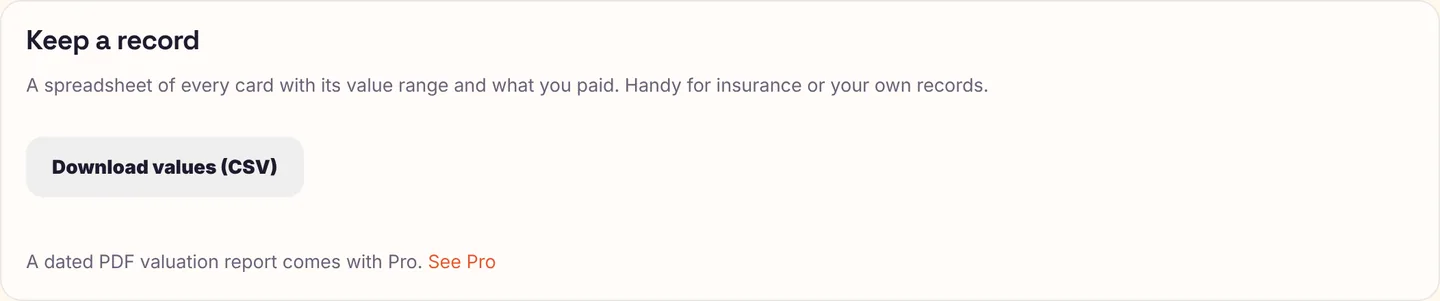
Keep a record on the free plan
Turn on price and wishlist alerts (Pro)
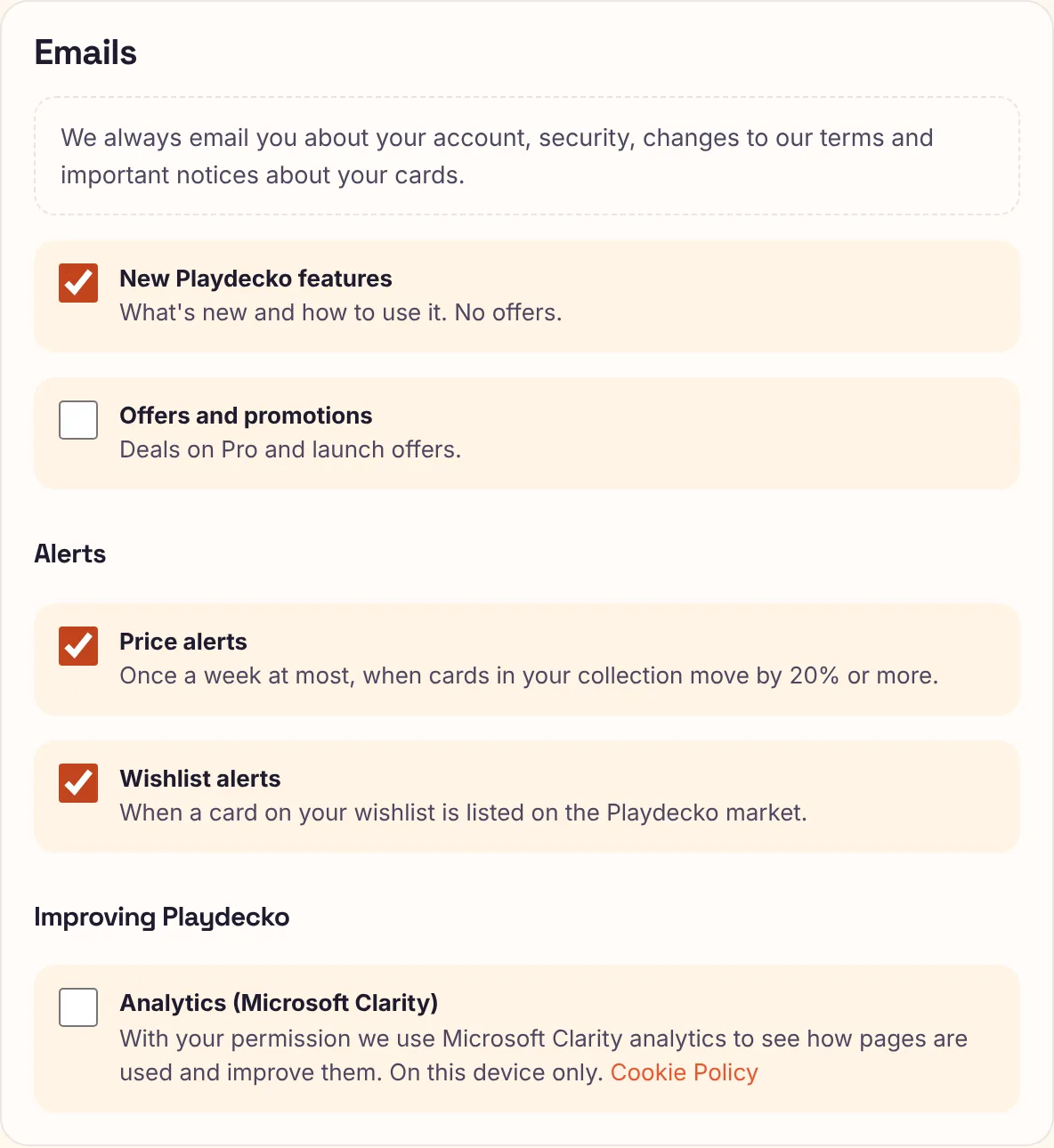
Pro members aged 18 and over get two email alerts, both on by default. Change them in Account under Emails.
- Price alerts: at most one email a week, when raw cards with a market price move by 20% or more over 7 days. Cards worth under £3 are left out.
- Wishlist alerts: when a card on your wishlist is listed on the Playdecko market.
Follow the market with Pulse
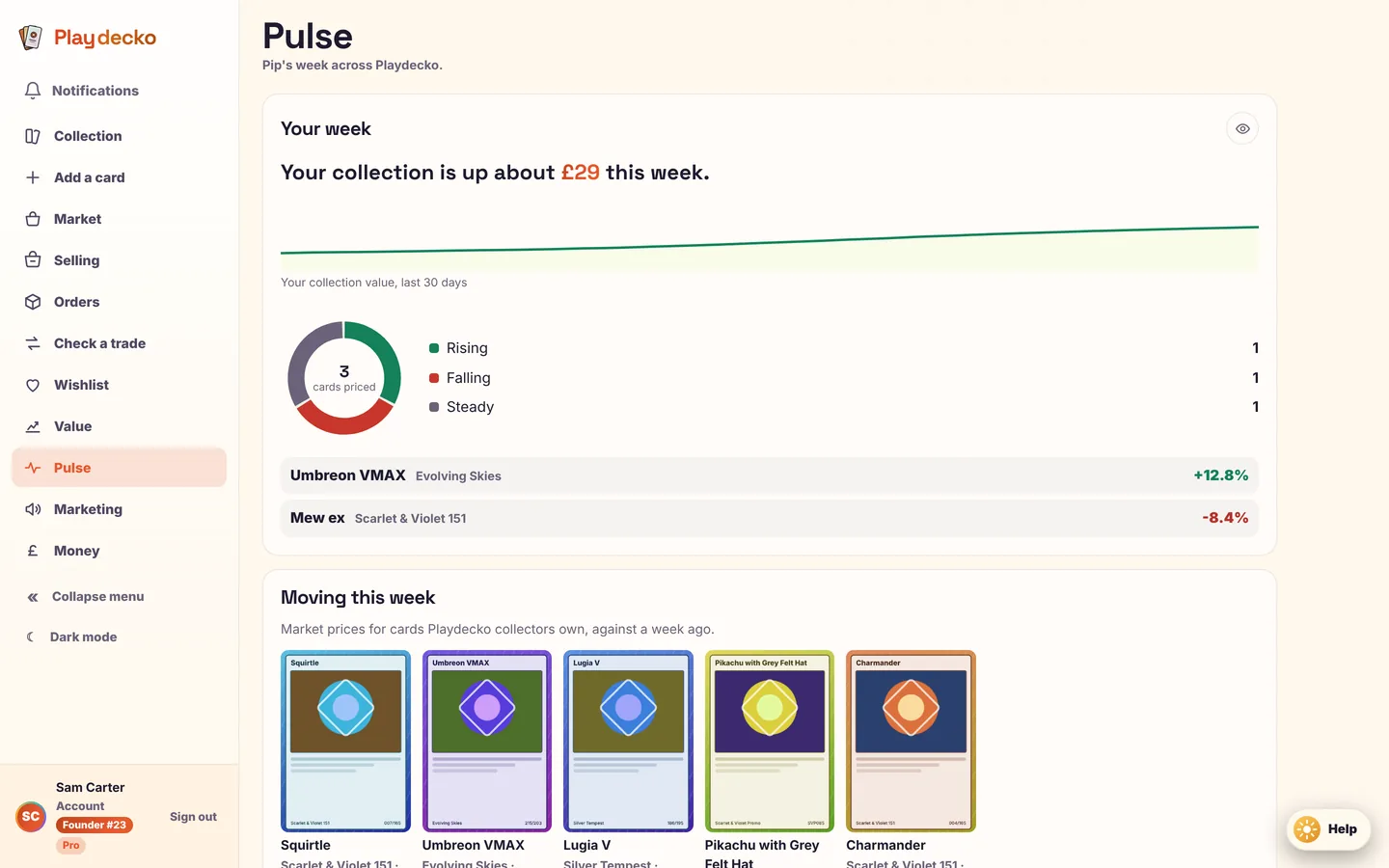
Open Pulse from the menu, or Pulse: what's moving under the Value strip. Pulse is rebuilt every day from the daily price run.
-
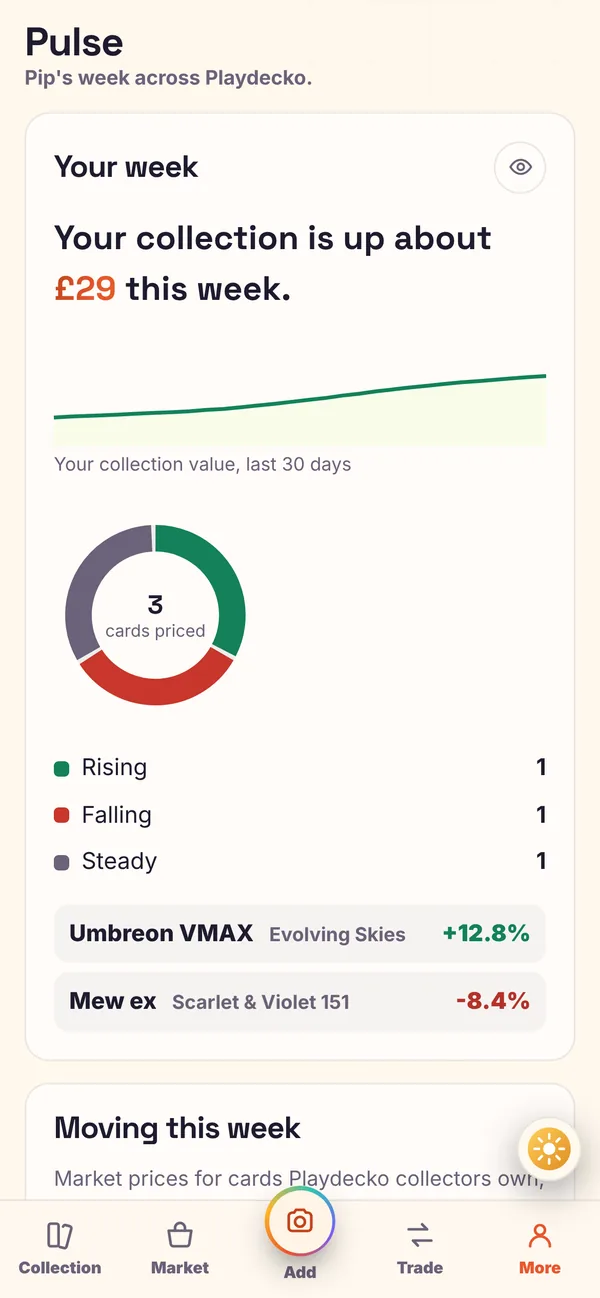
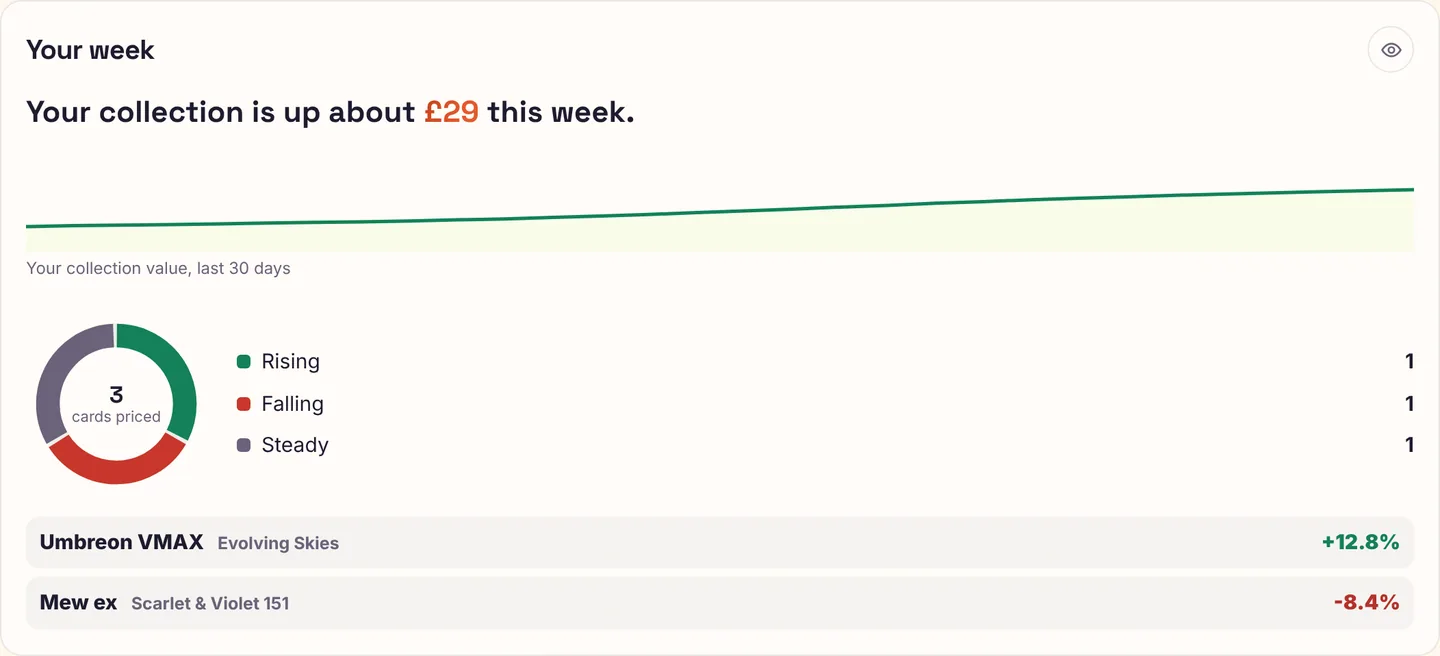
Your week: how much your collection has moved in 7 days, a 30 day chart, and how many of your priced cards are rising, falling or steady (a move of 3% or more counts). Your biggest movers are listed underneath.
Your week -
Moving this week: market prices for cards Playdecko collectors own, against a week ago. A card shows once it has moved 5% or more and is worth at least £1.
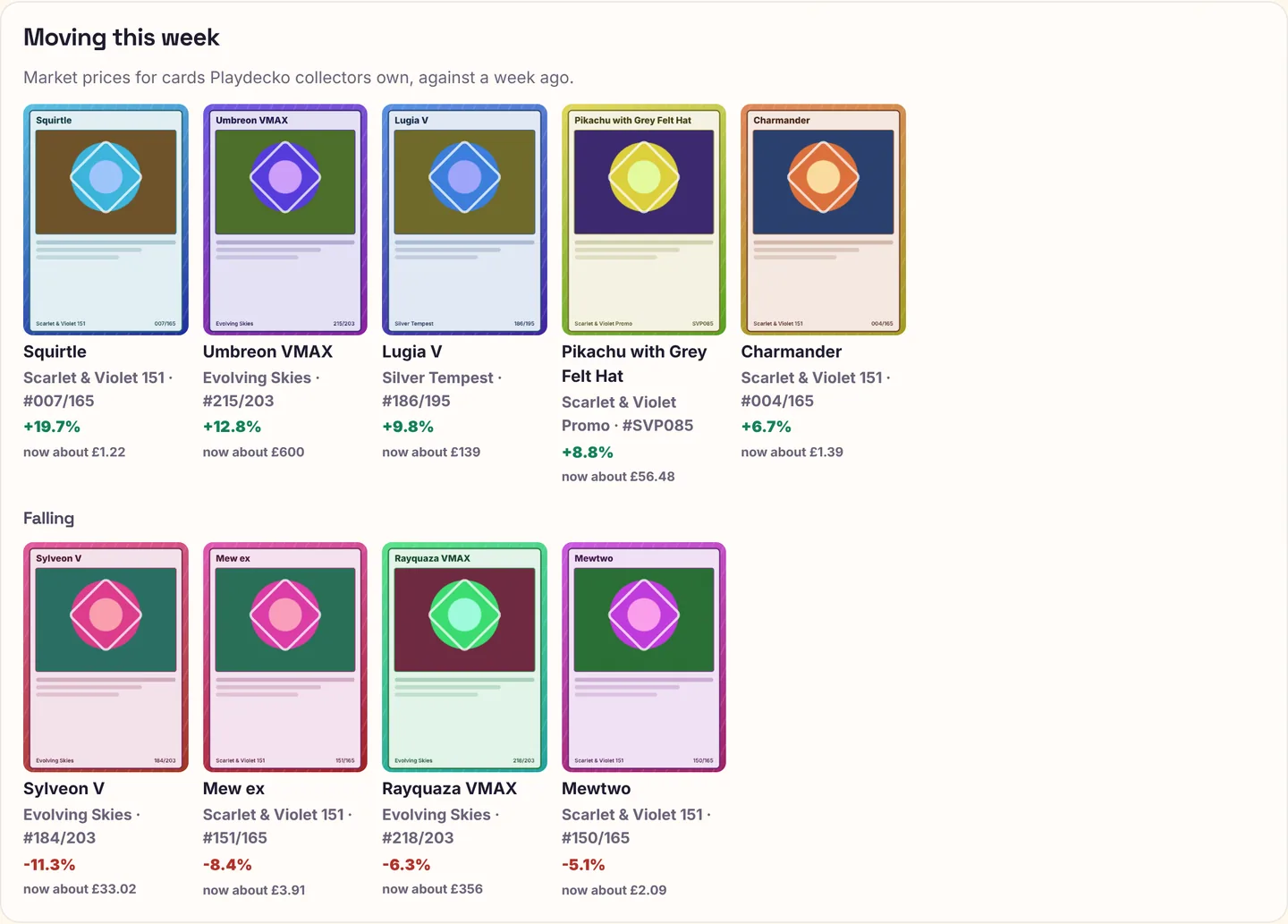
Cards moving this week 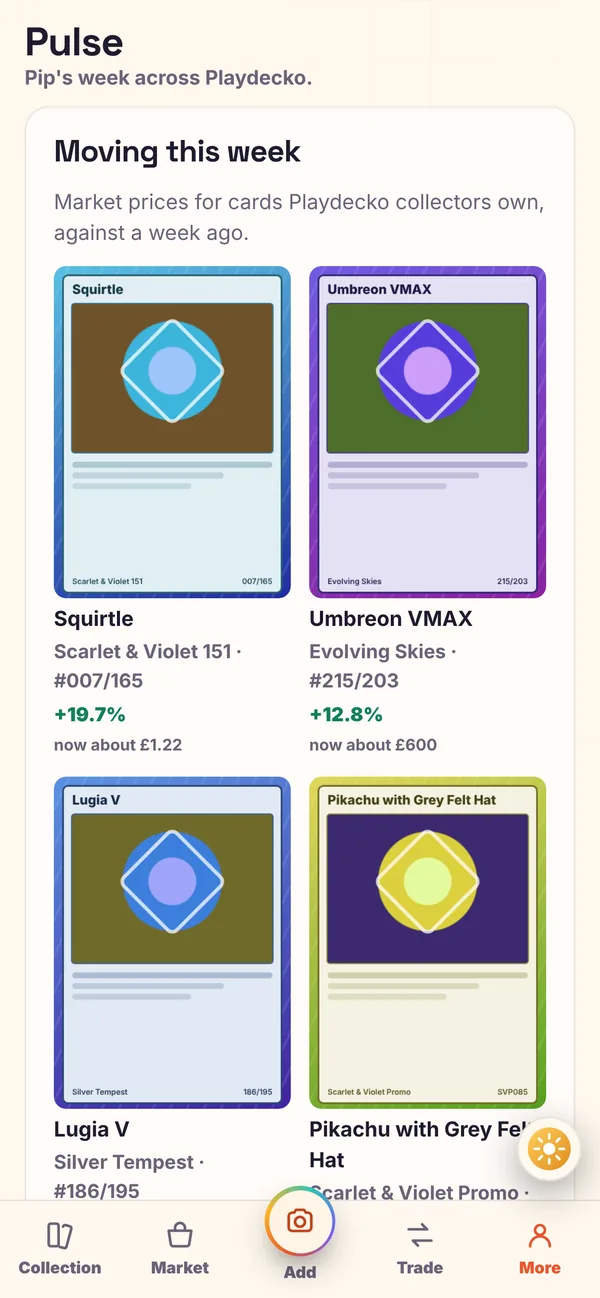
Cards moving this week on a phone -
Most collected this week: the cards the most collectors added.
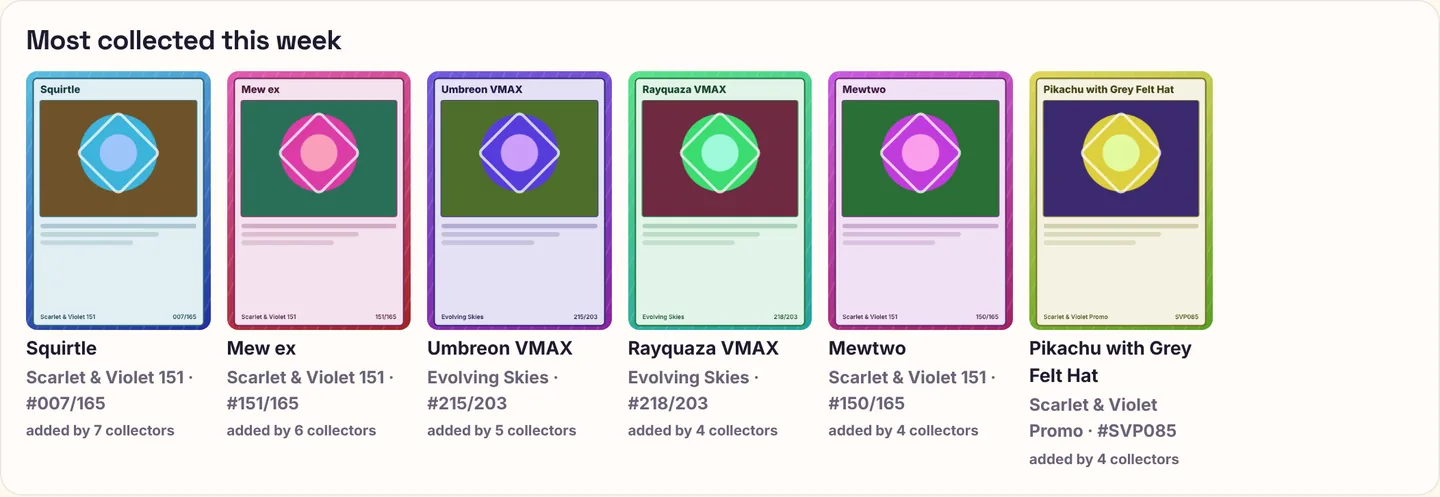
Most collected this week -
Hot sets: where collectors added the most cards this week. Tap a set to open its checklist.
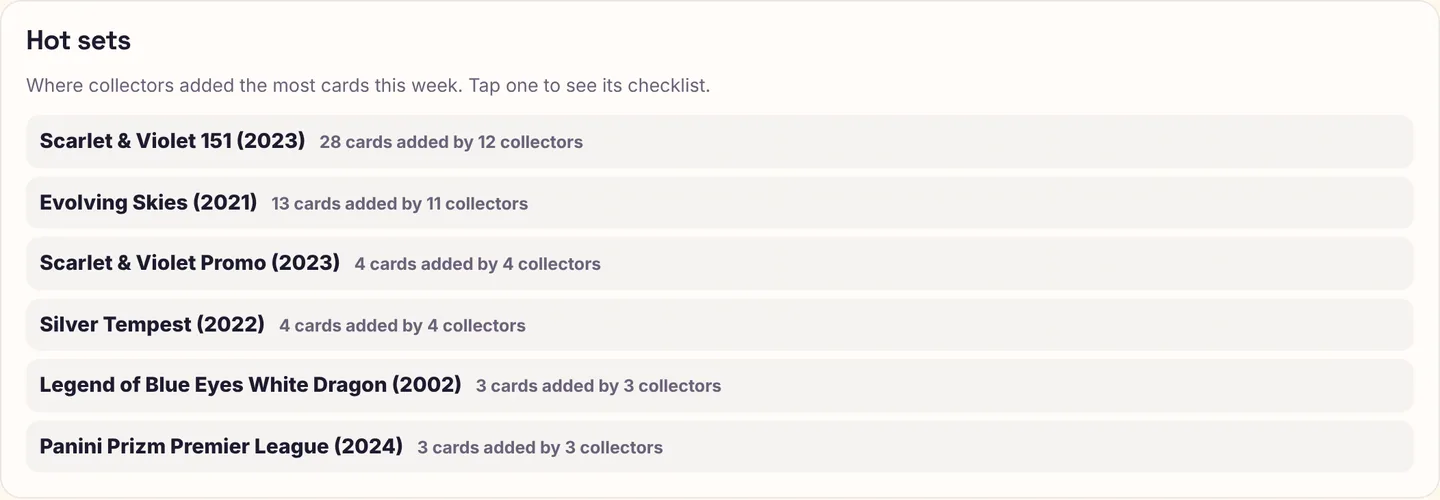
Hot sets 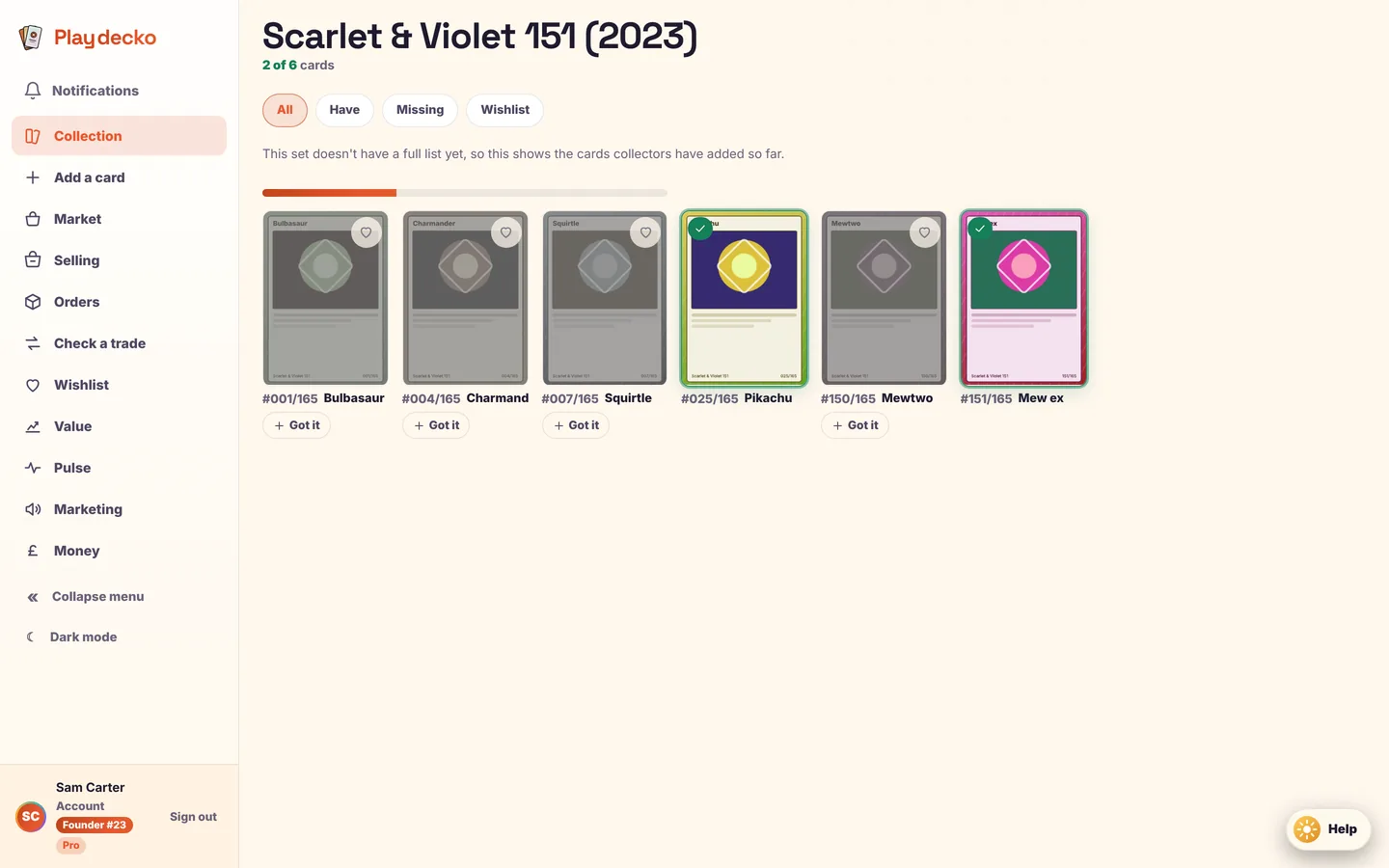
A set checklist opened from Hot sets
Pulse only counts cards, never people: a card or set appears only once 3 or more collectors have it, so nobody can be picked out.
Screenshots show example collections. Values are estimates, not a formal valuation. Questions? Ask Sunny in the app, and a person from Playdecko is always a tap away.